To assign a user to a Mac, use the Set User links on the Device Details tab for the device. Use “Teacher user” to set a teacher and “School (VPP) users” to set a student user.
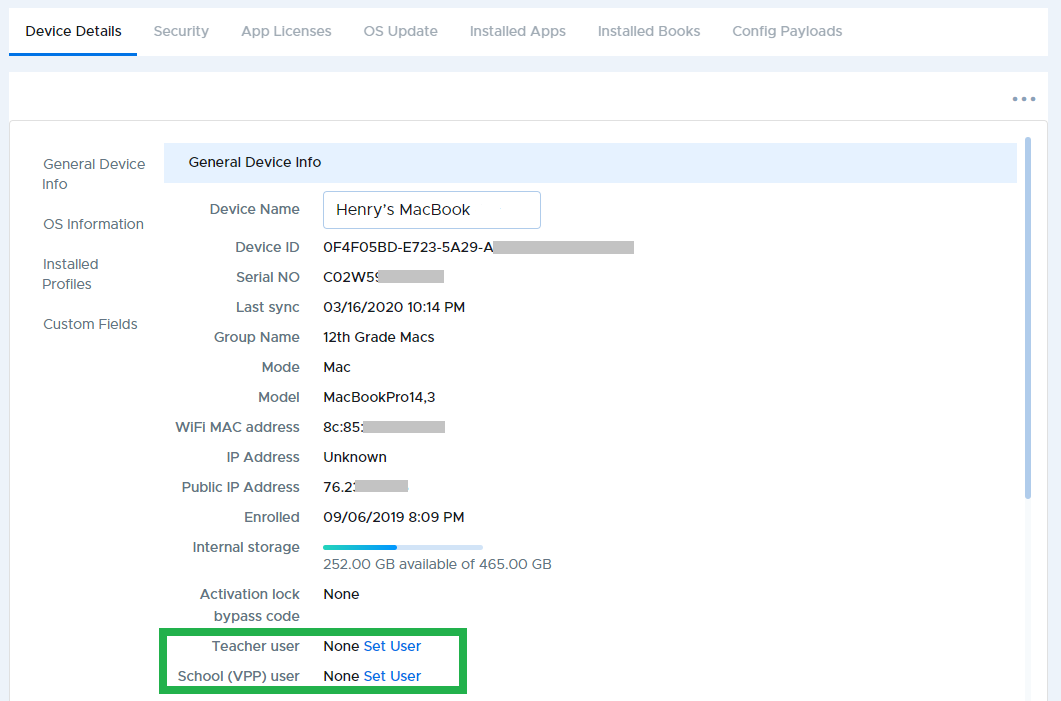
The “Teacher user” setting will allow the device to receive a teacher education profile for Apple Classroom. The “School (VPP) user” will allow the device to receive content such as apps and books when using user-assignments rather than device-assignments.