Admin users will be able to see notifications related to school-wide Pass Blocks, Out of Office instances, Consequence Ladder updates, and Student ID Cards.
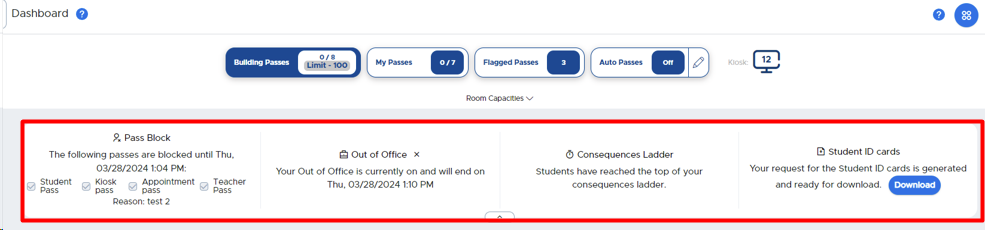
To end an Out of Office instance early, click on the Out of Office tab on the left hand menu, click on the three (3) dots to the right of that instance, and click End OR click on the “X” to the right of the Out of Office instance on the Dashboard.
To download and print your Student ID Cards, click on the blue DOWNLOAD button and then click the print icon.