Apart from settings present in the Global Settings page, a policy may have all or a combination of the settings listed below:
- Safe Search
- Restrict image search to creative commons
- Disable off-campus filtering
- Set 10 minute bans
- Exclude from Gmail Login Restrictions
- Keyword scanning
- Flag gun-related searches
- Authorise users assigned to this policy to approve site
- Authorise users assigned to this policy to access lookup tool
- Restrict AI-powered mode in search mode
Safe Search
Safe Search helps you ensure that your users are always displayed safe search results and protected from age-inappropriate content and images. You can enforce safe search for your students’ devices for all searches on Google and Bing search engines.
You can enable safe search for individual policies depending upon the users or OUs assigned to the policy. To do this, navigate to the Policy Editor page in your Securly admin portal and select the policy you want to enable safe search for. Toggle the button for the “Lock Safe Search Modes” field.
You can also enforce safe search for Chromebooks via your Google Workspace account. The Google Workspace settings are applicable only for Google searches and your Bing searches will be left unlocked if you do not enable safe search from the Securly admin portal.
Restrict image search to creative commons
Limits image searches to only pictures under the Creative Commons License. It is recommended to enable SafeSearch for best image search results. Learn more about restricted image search.
Disable off-campus filtering
When users aren't in the campus IP range, they won't get filtered. This can impact how time-based policy works. Learn more about off-campus filtering.
Set 10 minute bans
If enabled, users that have tried visiting blocked sites 10 times or more in a span of 10 mins, will be temporarily banned from using the internet for 10 minutes. Learn more about temporary bans.
Exclude from Gmail Login Restrictions
If you enabled Gmail restriction from Global Settings, you could still allow users to access their personal Gmail accounts at a custom policy level. This is particularly useful for allowing access to teachers, staff or other org units. Learn more about excluding Gmail login restrictions.
Keyword scanning
Scans keywords on major websites to ensure that students are always displayed safe search results. Learn more about scanning keywords.
Flag gun-related searches
When users search gun related terms, they will be flagged in Aware.
Authorize users assigned to this policy to approve site
In each custom policy, you also have the option to let staff allow sites for students. This feature is similar to the “Show contact admin button” option found in Global settings but has a few important distinctions. To enable staff to approve websites, turn on the “Authorize users assigned to this policy to allow sites” feature in the staff member’s custom policy.
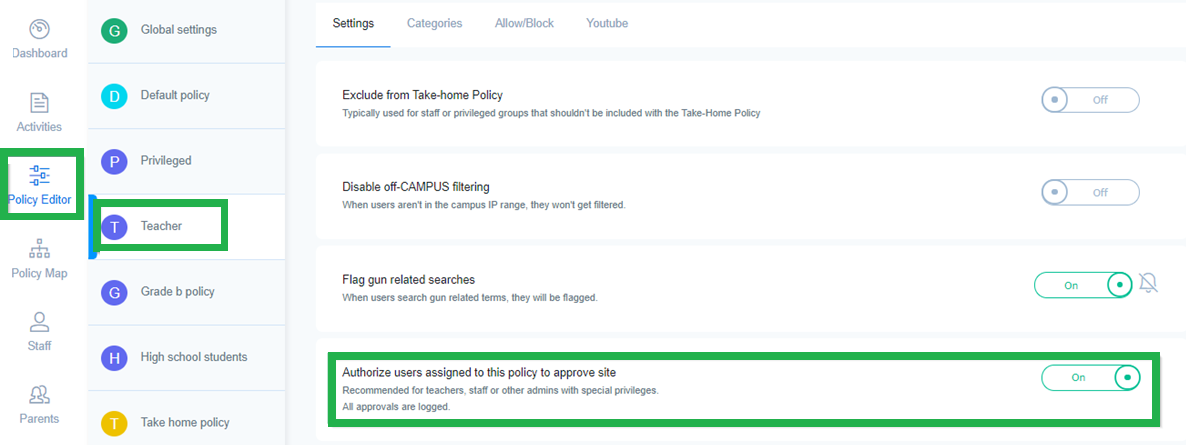
With this feature turned on, any time a student gets a blocked page while on-site (from a registered public IP) they will have the ability to “Ask for permission” to see the site. As long as the request comes from a registered IP, the student will see this displayed.
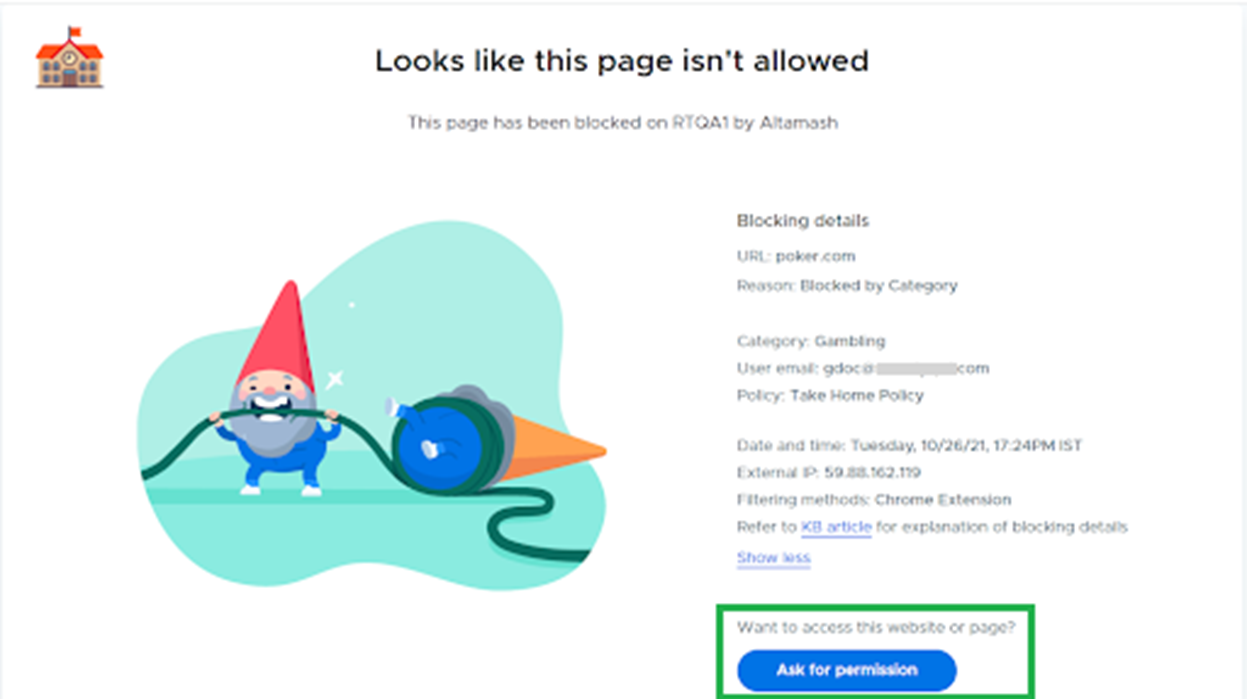
They can put in their teacher’s email address and send the request to them directly. Teachers can approve sites for a set period of time, or indefinitely. These settings can be adjusted in Global Settings. Check this support KB article to learn more.
The student requests must come from an on-site, registered IP, or the teacher’s email field will not be displayed. Additionally, the custom policy setting can be enabled independently of the Global Setting, so you do not have to have the “Show contact admin button” enabled for the custom policy settings to function.
Authorise users assigned to this policy to access lookup tool
This setting is recommended for teachers with special privileges. Any teacher part of this policy will be able to access the Website access lookup tool.
Restrict AI-powered mode in search mode
This setting hides AI search features in Google.com, with support for additional search engines coming in future updates.