Follow the steps below to deploy Securly SmartPAC using AirWatch MDM:
-
Log in to AirWatch and navigate to Devices > Profiles > Add Profile.
-
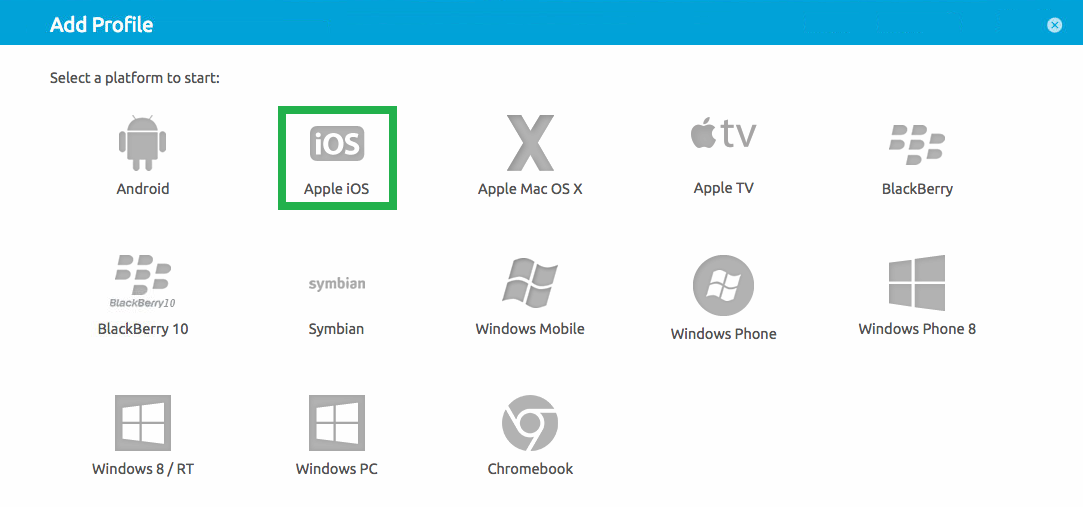
Select ‘Apple iOS’.
-
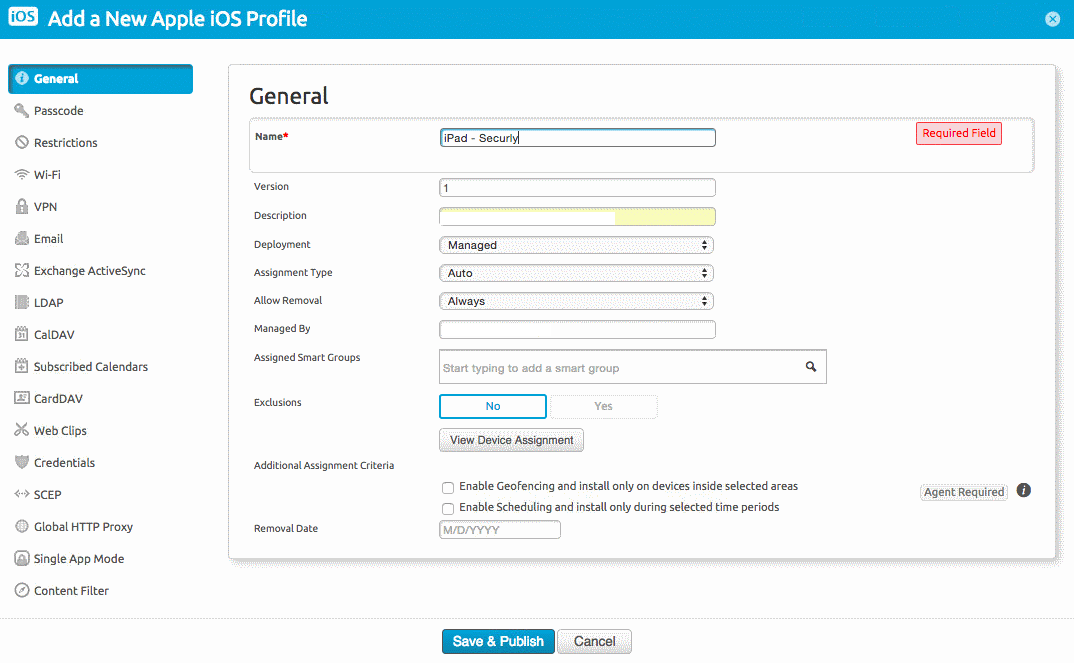
Add a Profile name and set the other fields as follows:
- Version - 1
- Deployment - Managed
- Assignment Type - Auto
- Allow Removal - Always
- Exclusions - No
-
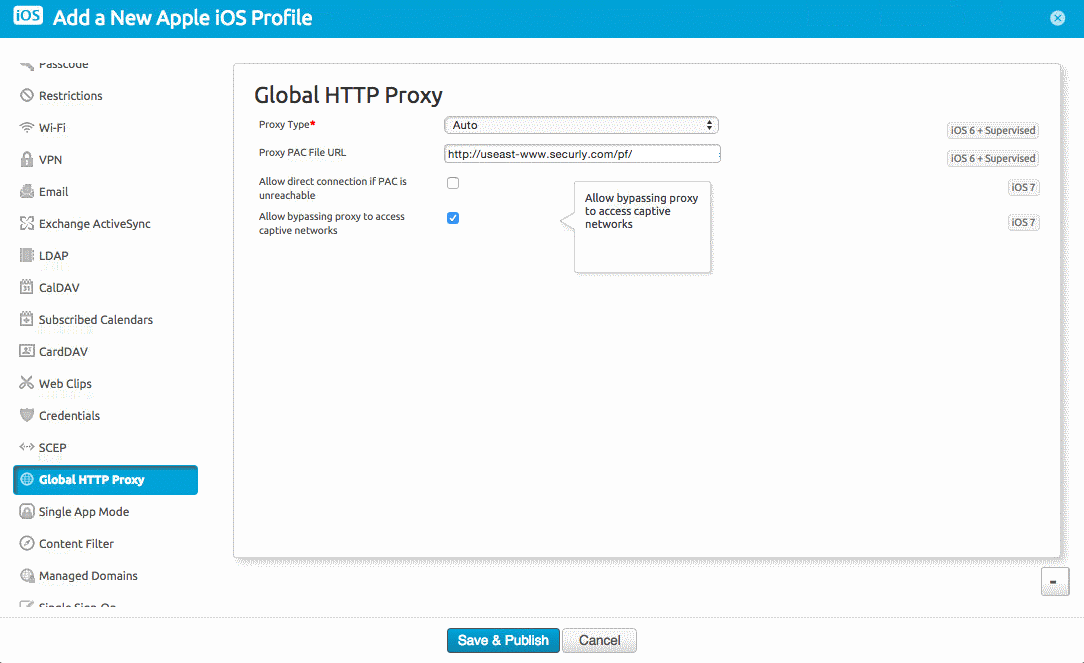
In the left side of the menu, scroll down to "Global HTTP Proxy".
-
Select the Proxy type as "Auto".
-
Input the PAC file URL provided by Securly in the ‘Proxy PAC File URL’ field.
-
Check the checkbox for "Allow bypassing proxy to access captive networks".
-
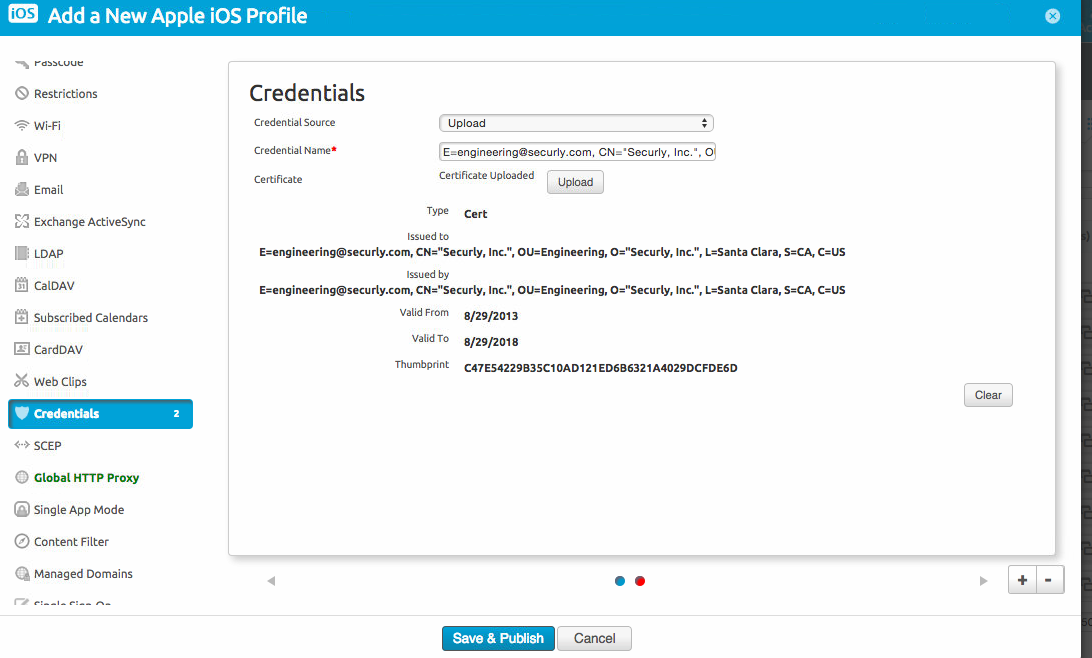
Navigate to "Credentials" and upload the Securly certificate.
-
Click on ‘Save & Publish’.