Apps must be granted permission to access certain files or application data on macOS 10.14 and above. To prevent the user from having to respond to prompts from applications asking for access to the camera, photos, microphone, or other areas, you can create Privacy Preferences policies to allow or deny access by the app. Click the Add Policy button to create a new policy.
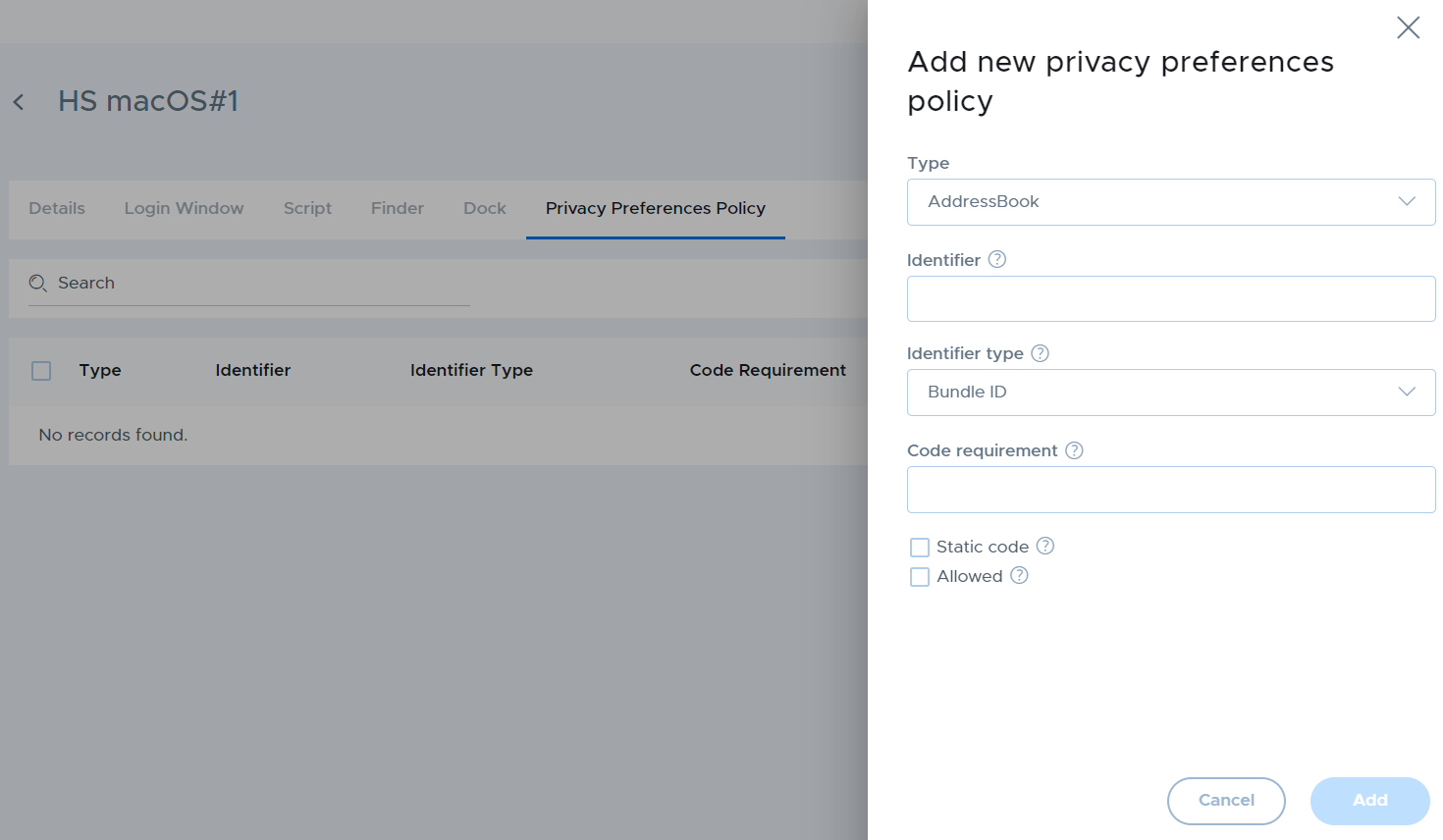
| Setting | Description |
|---|---|
| Type | Choose the type of system resource you wish to allow access to from the drop-down list. |
| Identifier | Enter the Bundle ID or installation path of the binary. Example Bundle ID: com.MyOrganization.AppName , Example Path: /Applications/AppName |
| Identifier Type | Choose Bundle ID or Path based on the type of identifier you are providing. |
| Code requirement | This can be obtained by typing the command “codesign -display -r - /Applications/AppName.app/” in Terminal. |
| Static code | If checked, statically validate the code requirement. Used only if the process invalidates its dynamic code signature. |
| Allowed | Check this box to allow the app to access the resource. Leave the box unchecked to deny access. |
Note
ScreenCapture can only be denied.