The Student Search menu, shown below, provides the ability to quickly find where a student is scheduled during flex for the current day. It also provides detailed information for past and future registrations. Teachers, staff, and admins have access to the same “Student Search” Flex menu option.
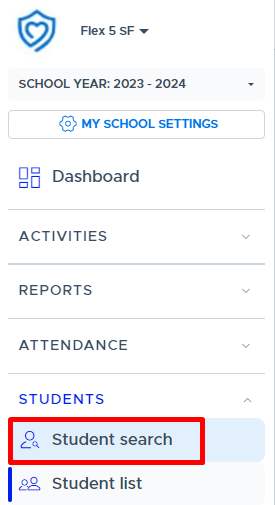
Individual Search
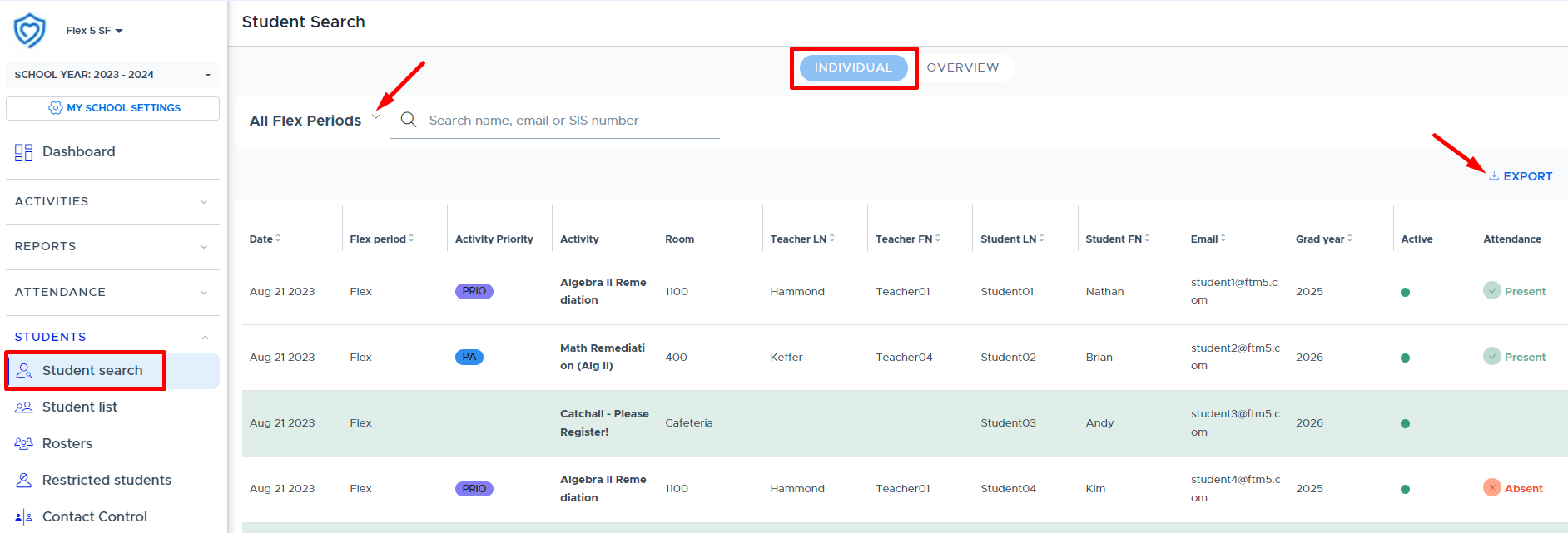
On the Student Search screen, the “Individual” view shows adults a list of all students for today for all flex periods. This is the one screen that shows multiple flex periods all at once - if the school has more than one flex period. This information can be exported and contains attendance information.
This search feature helps the front office quickly know where to find students today.
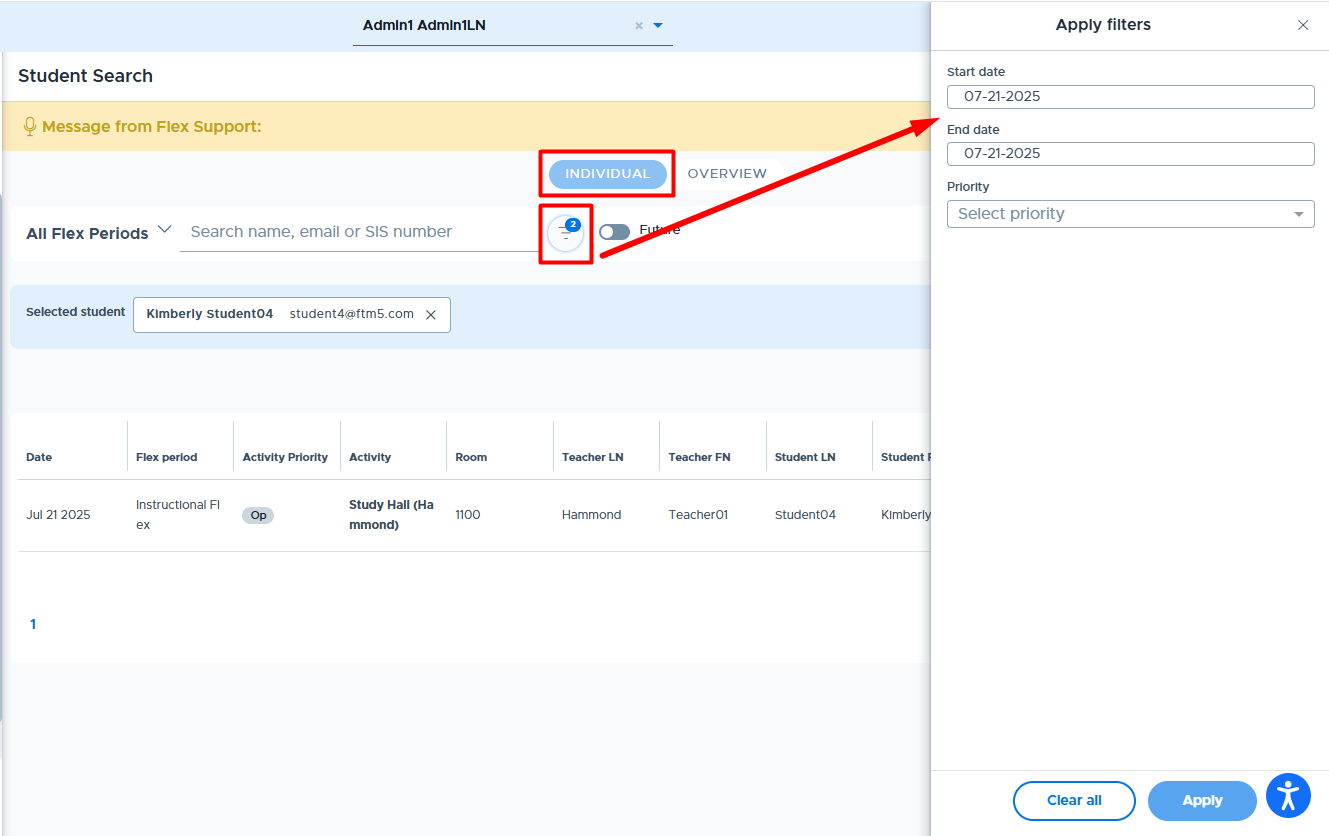
Once you search for one or more students, a “filter” button (triangle) will appear to the right. (See below.) Using the filter feature you can specify a set date range. If you use the “future” toggle, it will show today through the end of the year. Depending on the time of the year, and the number of students you are looking at, it may be helpful to set a specific date range rather than ask the system to load all information from now until the end of the year.
This feature is great for documenting additional support hours, attendance, and other data needed for IEP plans, parents, or other circumstances.
Overview Student Search
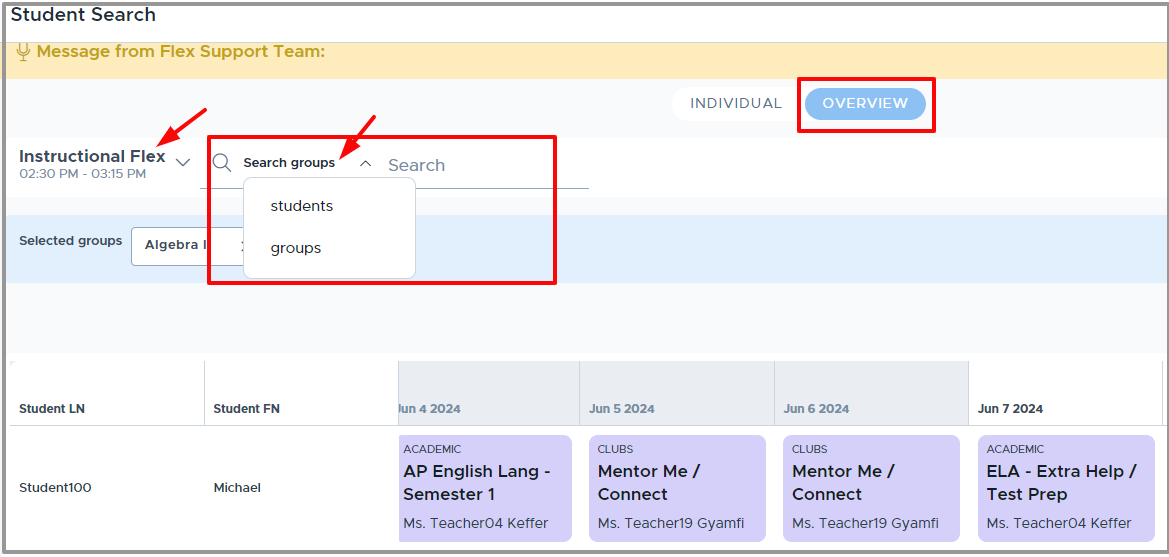
The “Overview” student search allows teachers, staff, and admin to look at 21 days worth of data at a time for one or more students. This includes 10 days in the past (denoted by the slightly darker gray header), today, and 10 days into the future (denoted by the white header). This information can also be exported. One or more students can be searched. The Overview screen shows one flex period at a time.
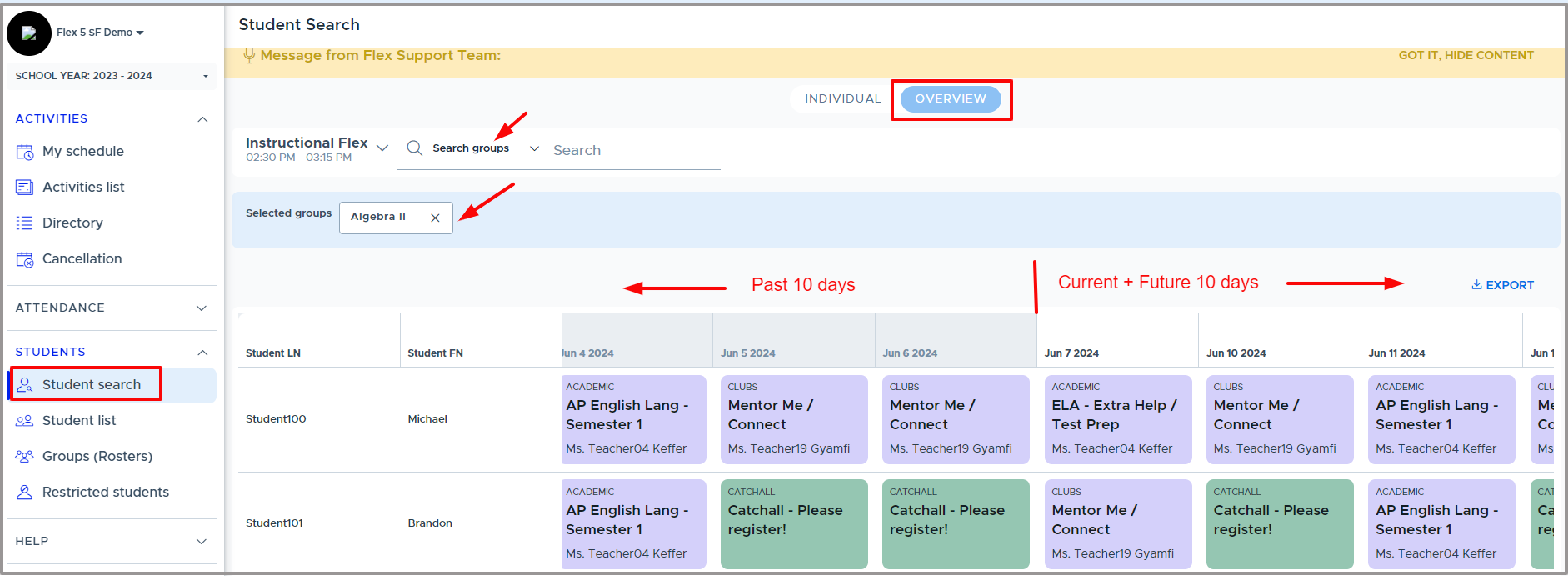
In addition to looking at students one or more at a time, a Group Overview is also available. The Group Overview allows you to look at a set group of students all at once. Click on “Search Students” and switch to “Groups”. The Group search allows the user to search using any of the groups to which they have access.
The Group Overview allows a group of students such as IEP students, Honor students, Student Council, or Homeroom students to be reviewed all at once.
Please see the following videos for more details: