Website access lookup tool allows teachers and staff to quickly check if a website is accessible to students and, if necessary, grant access. Only authorized users can unblock restricted websites, while others can only submit a request to school admins to unblock.
To check the website access:
-
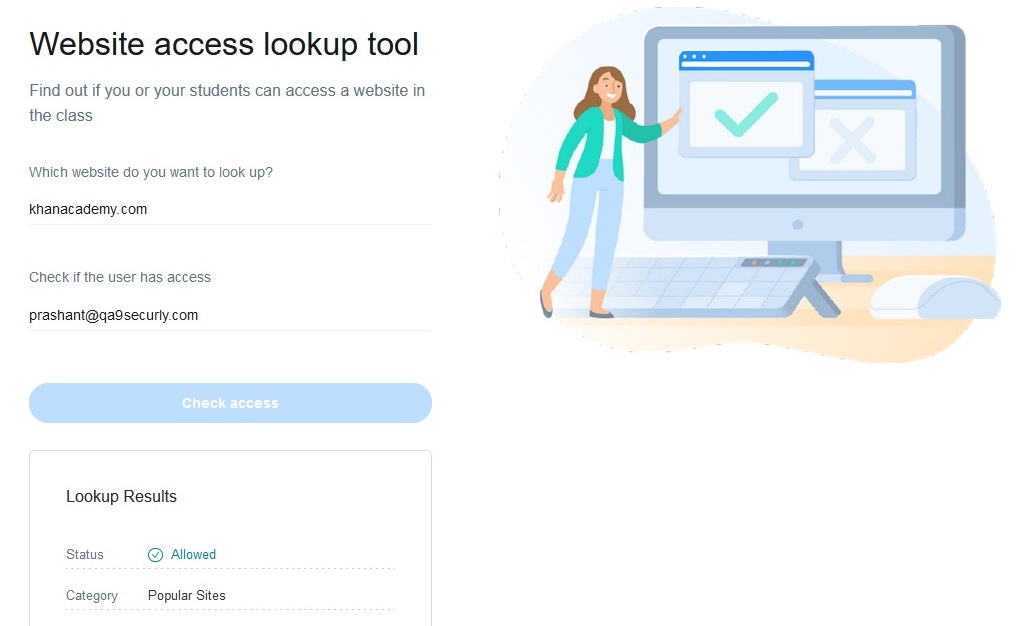
Navigate to securly.com and click on the "Lookup tool" link in the footer, or go to securly.com/lookup-tool
-
Enter the domain name you need to check.
-
Enter an email address for the student or user to check access for.
-
If you need to allow access to the website, it will display either an Allow Access or Request Access button based on the authorization level set by the admin.
-
If you click Request Access, an email will be sent to your administrator with the details of the domain you wish to allow access to. The admin may choose to allow or deny the request.
-
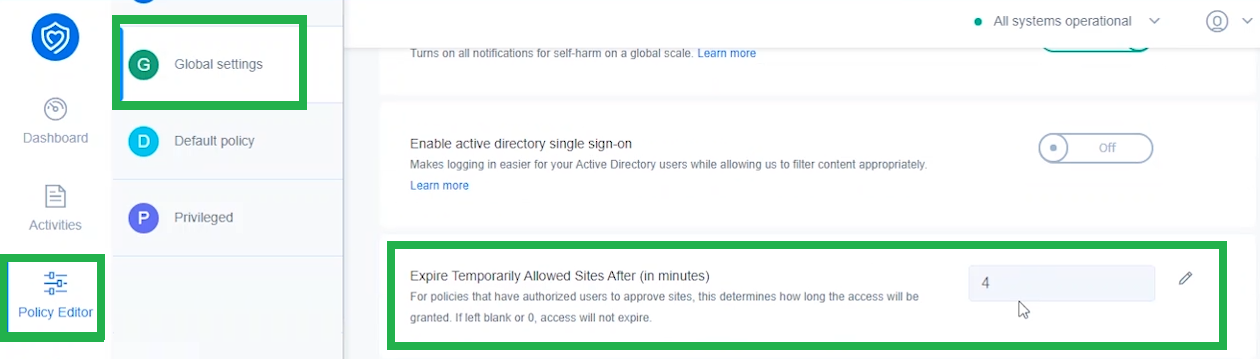
If allowed, the website will be allowed for the duration set by the admin to temporarily allow sites from the Global settings.