Archiving users refers to removing them from the system so they no longer have access and do not appear throughout the system on future dates. Historical data is retained with the user record and displayed in the system for dates the user was active. In addition, if the user record is returned (or “unarchived”), the historical data will be reinstated in the system.
Users who have been archived will appear on the Archived Users page for 90 days.
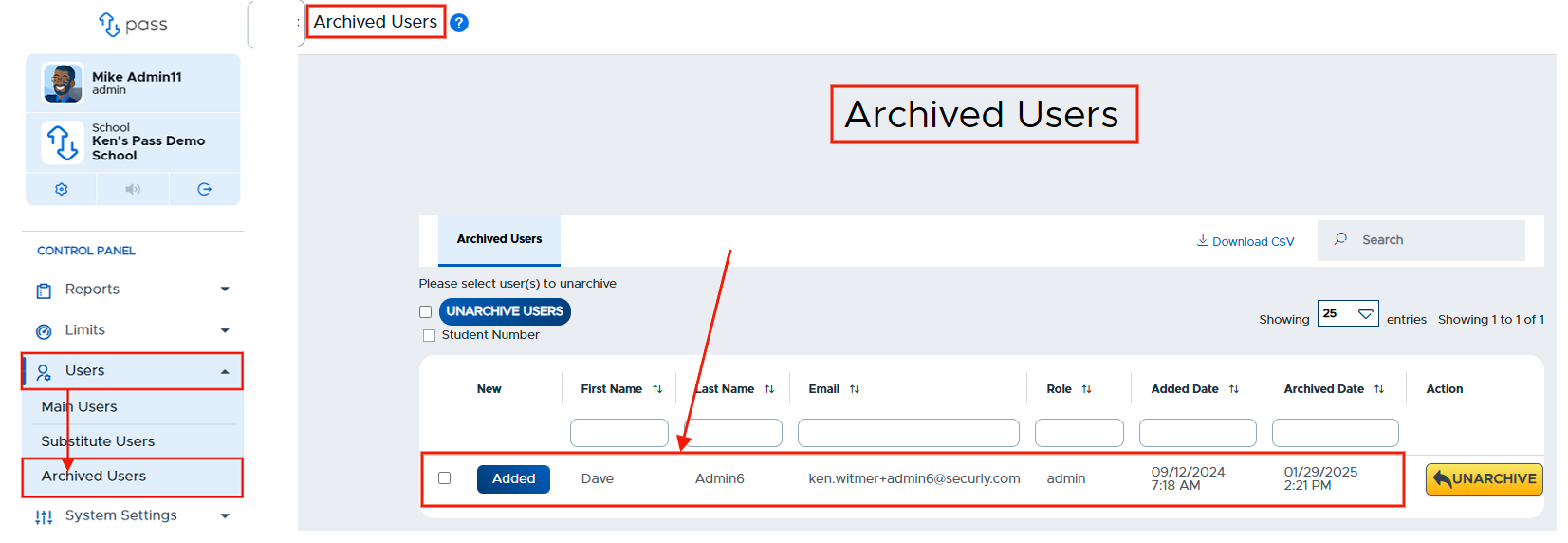
There are two ways that users can be archived in Pass: auto-archiving and manual archiving. It is also important to understand more about the “Prevent From Archiving” (PFA) option on a user’s record in Pass. Please see the details below.
-
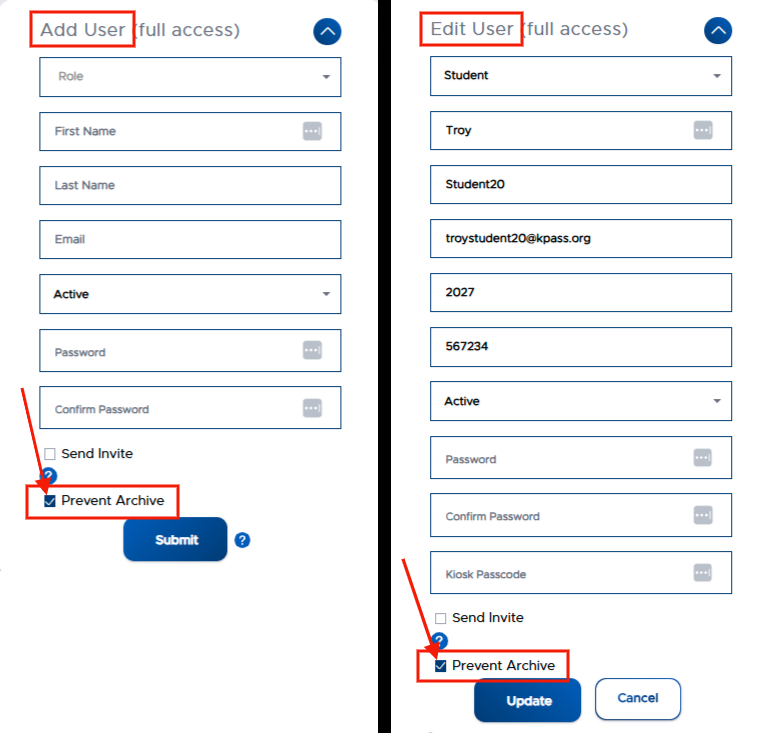
The "Prevent Archive" checkbox, which is located on the “Add/Update User” window (shown below), is an “override” function that can be used to prevent users from being “auto-archived” when your school is using multiple rostering methods to add users to Pass.
-
Toggle “on” → If you do not want the user to be archived when they are not included in a third-party sync or a user file upload. (i.e. - If you don't want Admins/Staff, who are not being shared, to be archived when the third-party sync happens.)
-
Toggle “off” → If the user will be included in future third-party syncs or a user file upload. This will allow them to be auto-archived through that source in the future. (i.e. - Adding a student to Pass before they’ve been added to the third-party source.)
When a user is originally added to Pass via third-party sync or file upload, the PFA toggle defaults to “off”, so that the user can be auto-archived when they are removed from the sync/file.
When a user is originally added to Pass manually by an Admin via the system interface, the PFA toggle defaults to “on” so that the user is NOT auto-archived when a third-party sync or file upload takes place.