You can create unique policies for specific OUs or groups of students depending on their academic requirements. By creating a customized policy, you can have different levels of restrictions set for students from different grades. Custom policies give you complete control and discretion over how filtering works for the various groups that access your network. You can also set up custom policies as time-based policies.
Creating a custom policy
To create a custom policy:
-
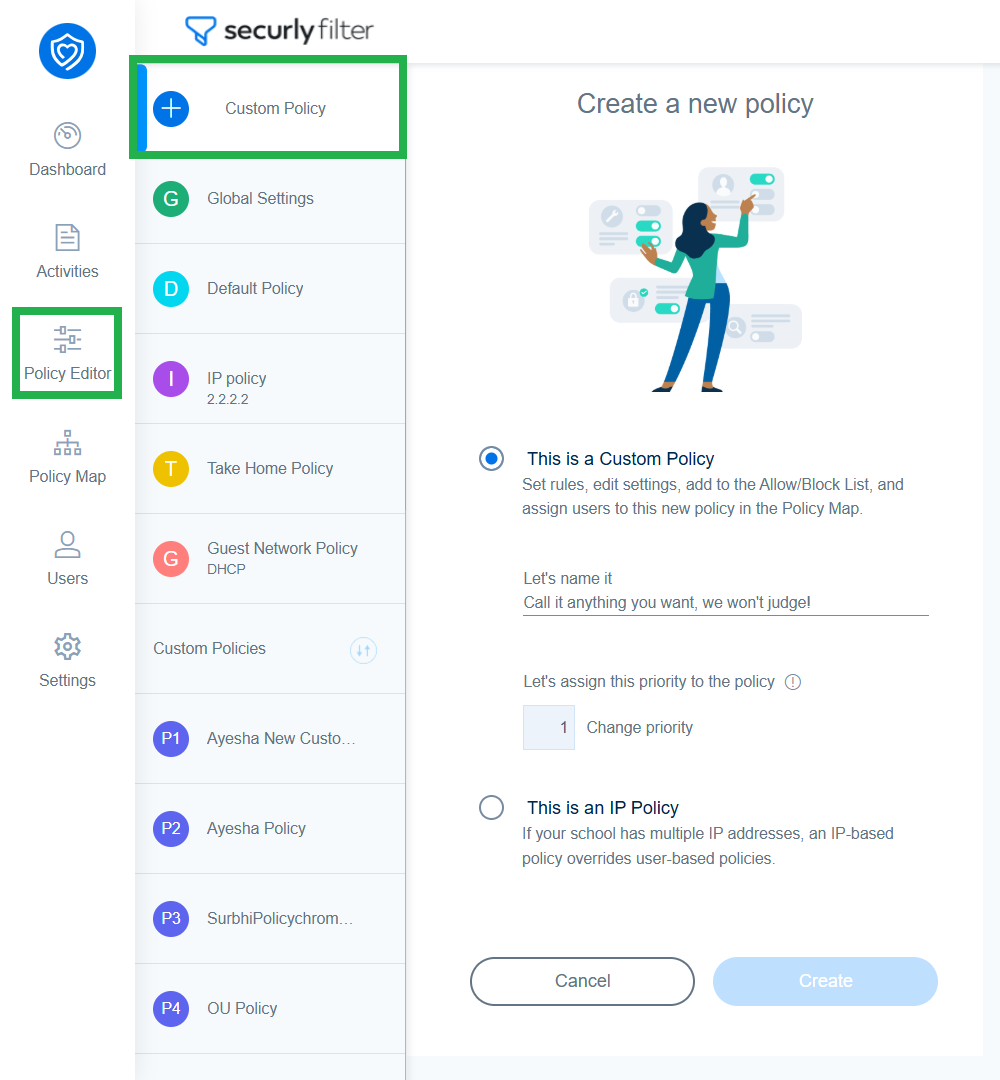
Navigate to Policy Editor and click on Custom Policy.
-
Provide a policy name in the 'Let's name it' field and click ‘Create’.
-
A new policy will be created and you'll be taken to its settings page. Change the policy to fit the needs of group of users you wish to assign it to.