OS Updates can be started or scheduled from the Device Details page of an individual device on the three-dot menu at the top right, or for multiple devices from the device table by selecting the devices, then clicking the OS Update button in the action bar.
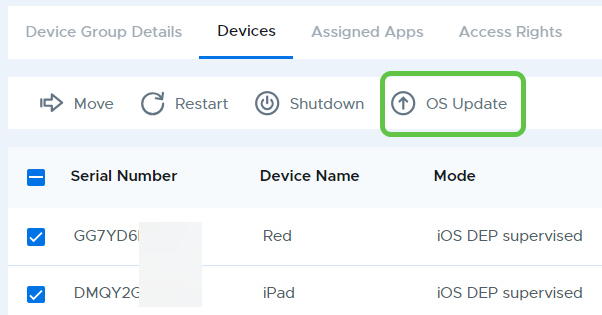
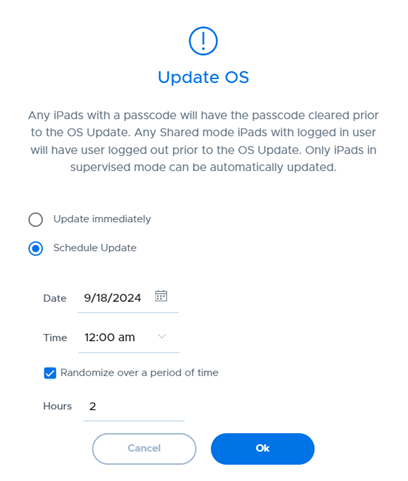
Installing OS Updates can happen by immediately sending the update command to the selected device(s), or by scheduling it for a later date.
When scheduling a start date and time, there is an additional option to allow the update command to be randomized over a period of up to 48 hours by checking the “Randomize over a period of time” check box and setting the desired number of hours. This can be useful in situations where you are updating many devices and need to be concerned about bandwidth issues. Note that bandwidth issues can be mitigated if you utilize a caching service on your network, which may be available and enabled by default on Mac devices on the same network.
Restriction profiles provide the ability to delay OS updates for up to 90 days.