Setting pass times in your Pass system allows you to control the amount of time passes stay on the Dashboard. Default times are set in the system, and you can easily adjust these times to fit the needs of your building.
Before making adjustments to your times, below is a description of each one.
- Awaiting Approval
- (STU Passes): This is the amount of time that a pass will be available for the adult to approve the pass. If the pass is not approved within this amount of time, it will disappear and the student will need to recreate the pass if necessary.
- Appointment Passes (APT Passes): This is an additional amount of time that can be set for Appointment Passes that are waiting to be approved. It may be helpful to consider setting this to 15 minutes or more, which will make it more likely that appointments will not be missed.
- Long Running: This is the amount of time allowed for the average pass before having the system flag it as a “long running” pass. Once the set time threshold is hit, the clock on the pass keeps running; and the system turns the pass yellow on the adult dashboard in order to draw attention to this pass.
- System Ended: This is the amount of time allowed before passes will be automatically ended by the system. When this happens, the pass is flagged (red) as a “system ended pass”. The system is designed with this feature so that schools do not have large numbers of passes with timers running for hours. If necessary, system ended passes can be edited by the adults involved with the pass.
- Extended: This is the amount of time to be used as the default for any location that is set up with the “Extended pass” designation. This setting is found in the “Locations (rooms)” menu when adding a new room. It is also possible to customize the amount of “extended” time for each room, but the default setting will start with what is entered in the Pass Times screen.
To adjust your Pass Times, from the Control Panel menu, click on System Settings > Pass Times.
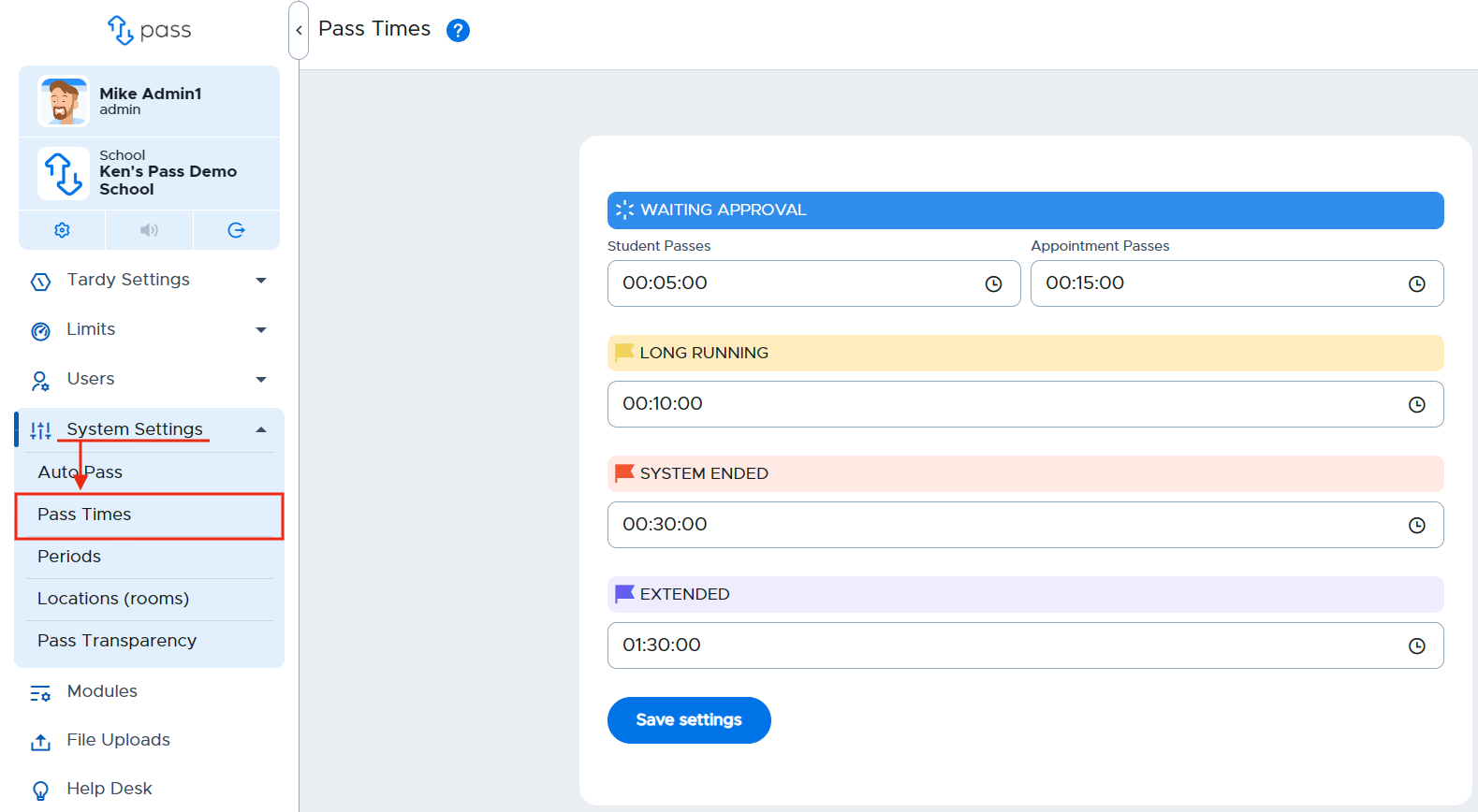
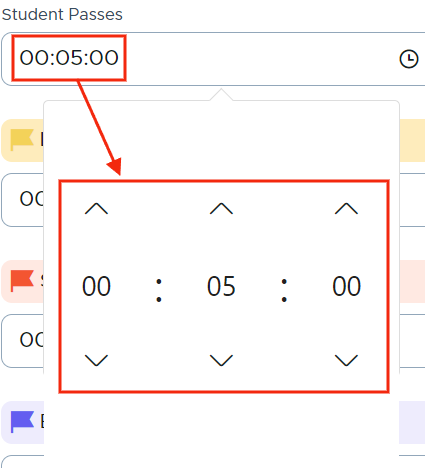
Click in the box(es) of the time(s) you would like to adjust, make the appropriate change(s).
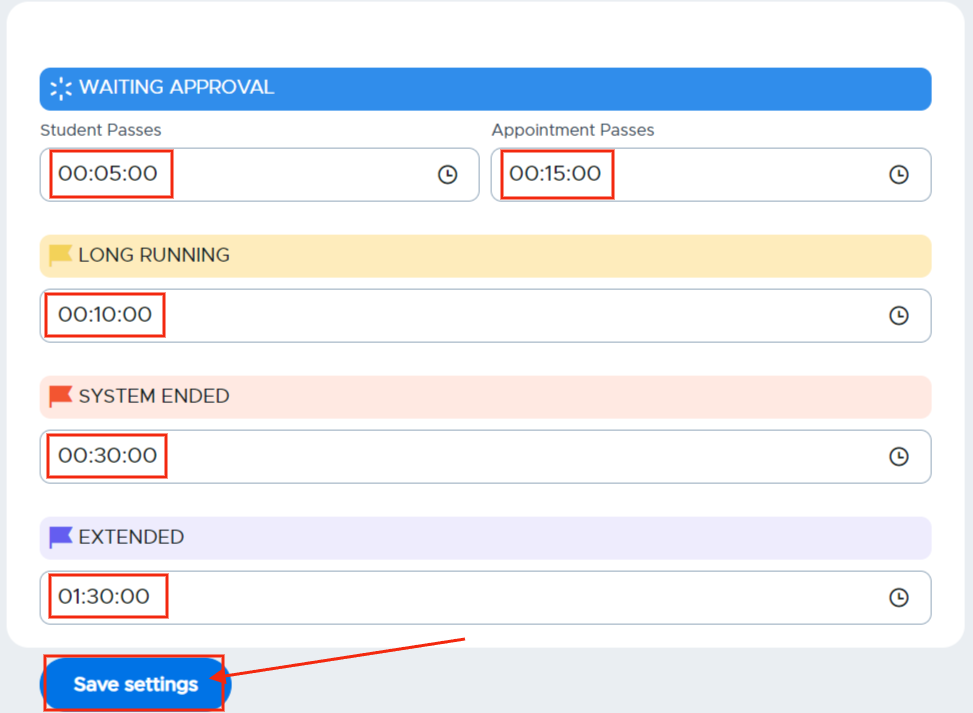
Click Save settings before leaving the screen.
Remember:
The system will end all passes at midnight if there are any passes still running at that time.
Video Alert:
Please watch the "Pass Time Settings" video below.