When enabled (Retain Extra Passes - Modules), this feature allows schools to retain the Appointment Passes and Appointment Requests that do not become passes and therefore would normally not be available in History. (Some states require admins the ability to see any communication between a student and an adult, and these types of passes do not allow students and adults to make comments to one another.)
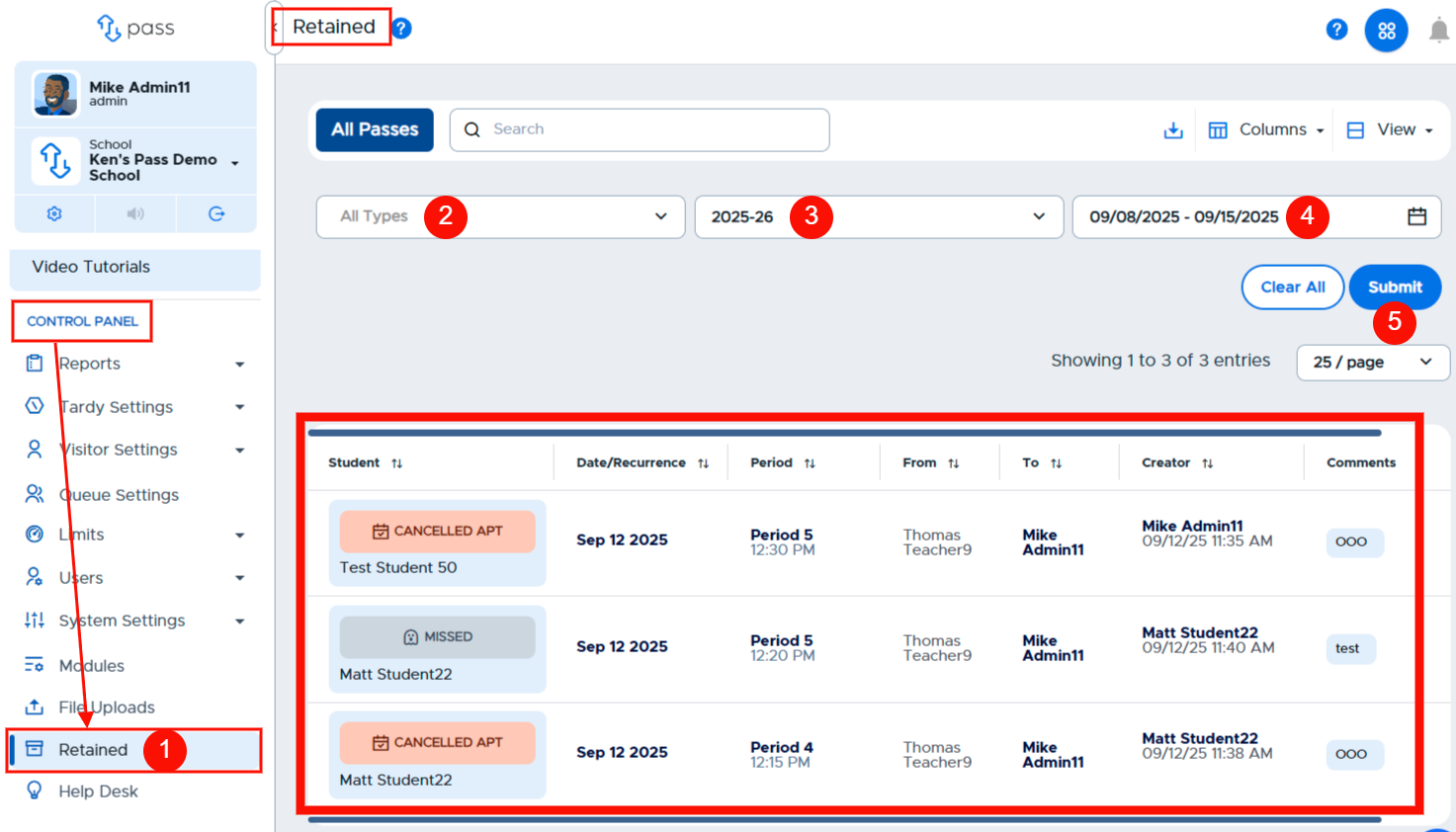
To see this particular data, under the Control Panel, click Retained (1). On the Retained page, select the parameters for your search - Types (2), School Year(3), and Date Range (4). When ready, click Submit (5). Your results will be displayed on the table below.
Remember
- All regular passes that also could have communication on them are available in History.
- You can download this data as needed.