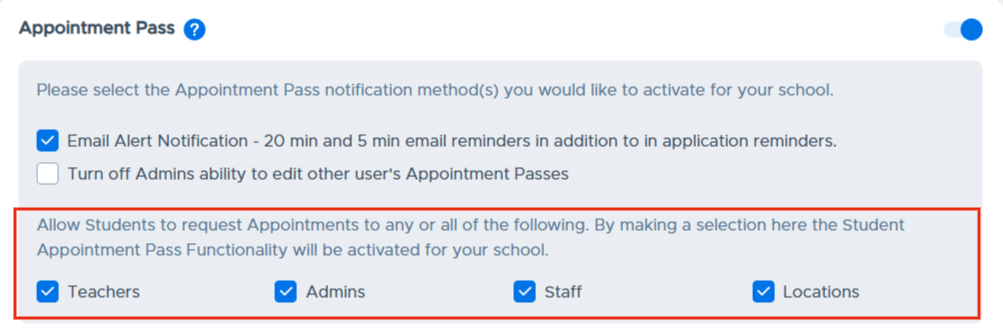
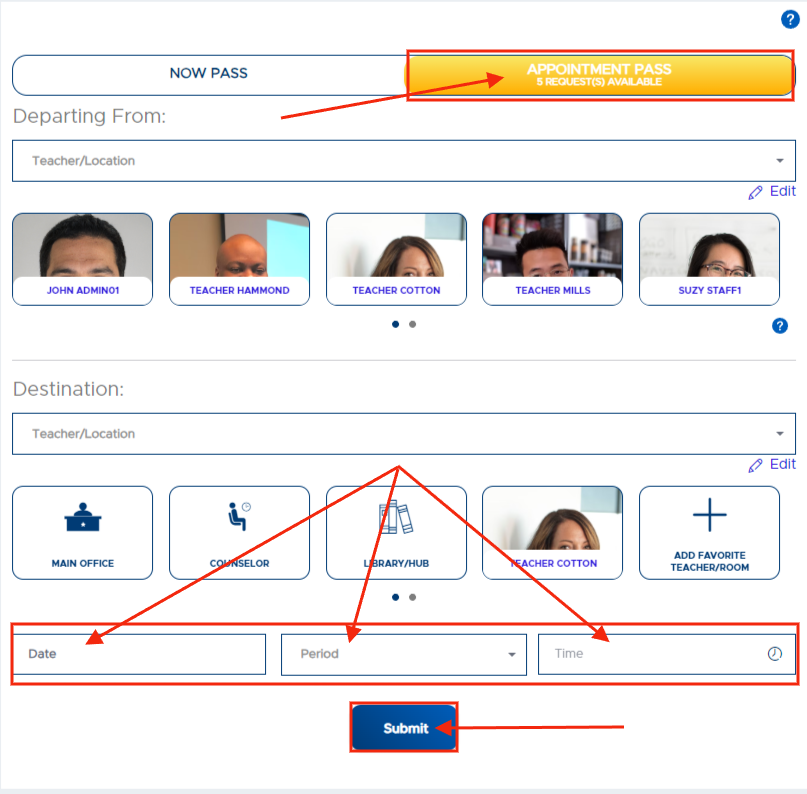
The section shown below (from the Modules screen) is what controls whether or not your school has enabled the functionality for students to make appointment requests to adults and/or specific locations. When at least one of the options below is checked, this will enable the “Appointment Pass” create option on the student’s Pass screen (also shown below).
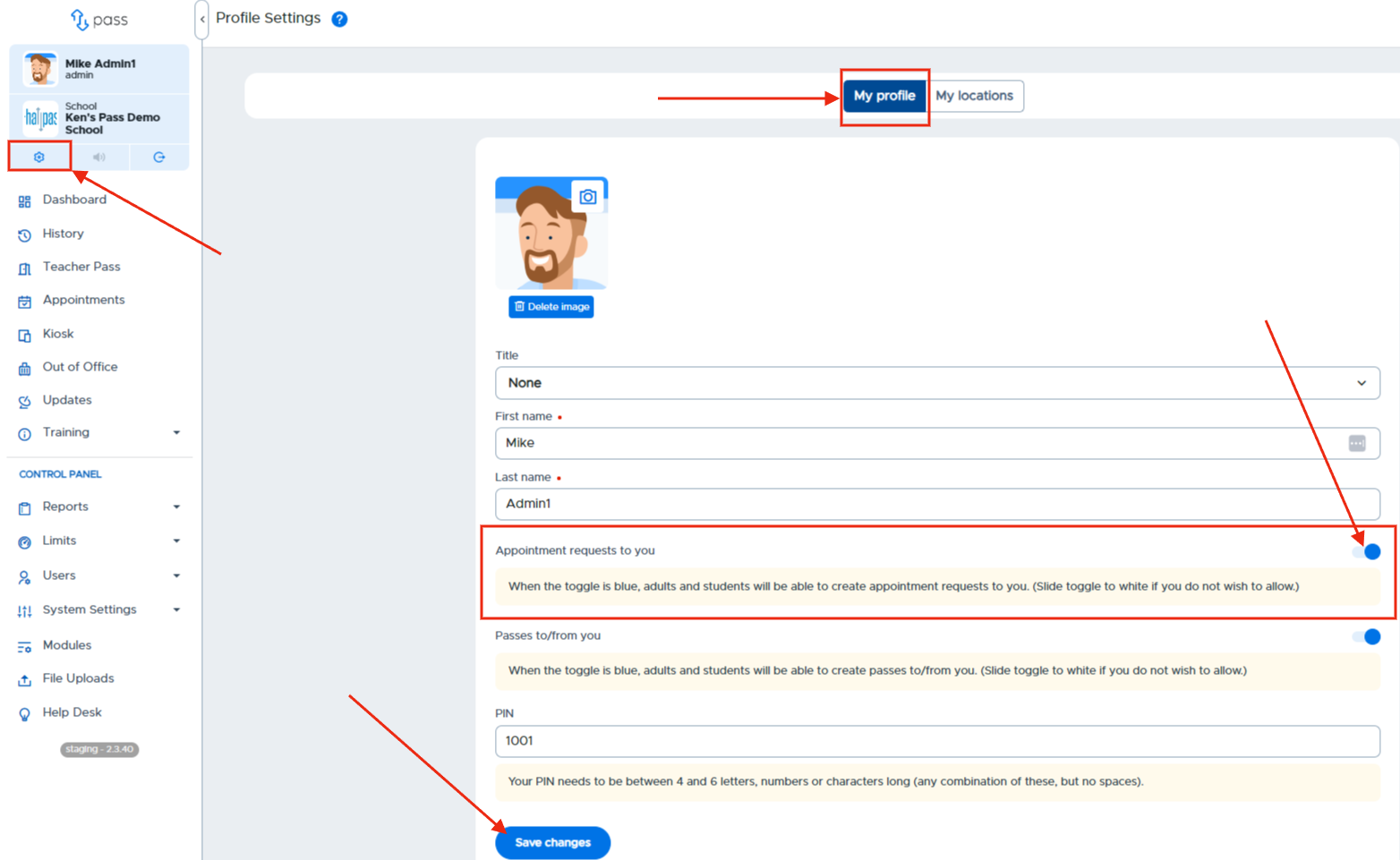
Once enabled by an Admin, the adults can specify whether they will allow student appointment requests to be made to them by selecting "Yes” or “No" in their Profile Settings.
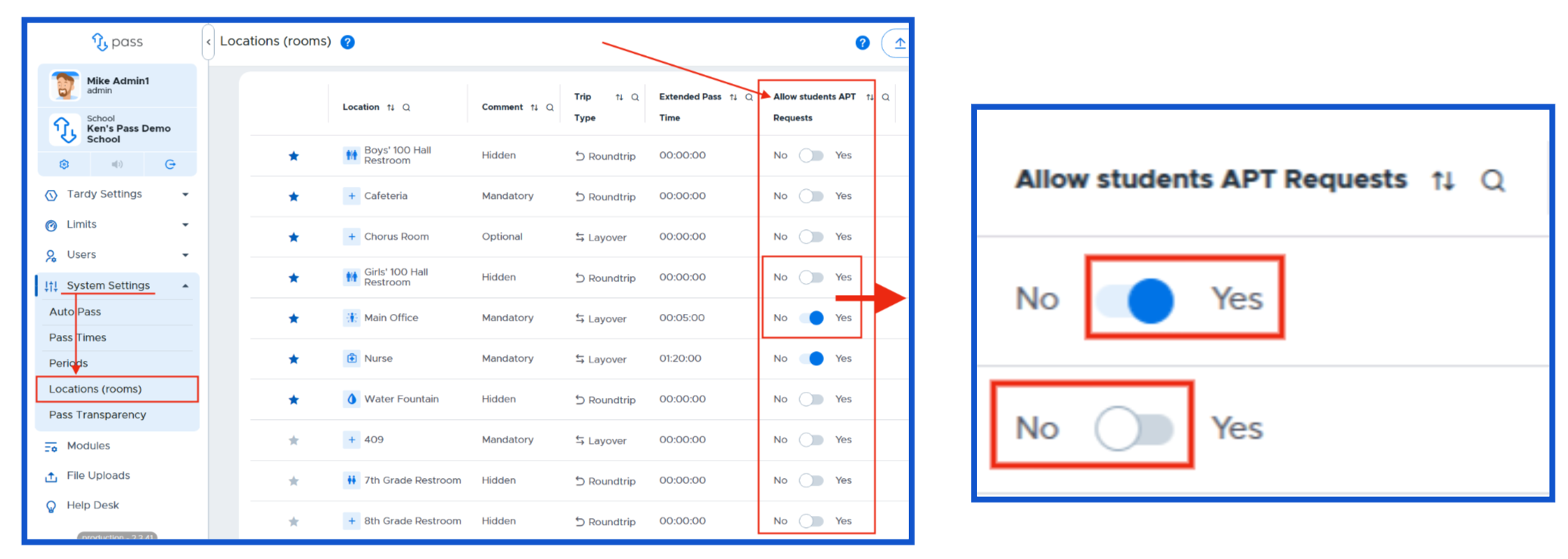
For Rooms/Locations to receive appointment requests from a student, an Admin must go to the Locations (rooms) page and toggle the specific room/location to “Yes” in order for the student to send a request. If “No” is selected for a location on the Locations (rooms) page, that location will not appear as an option for the student when creating the request.
All student appointment requests must be “Confirmed” by the adult receiving the request in order for them to take place. Please see the Student Appointment Pass Requests (sAPT) section at the end of this manual for additional details