Enabling this feature allows Securly to alert students or other users of the inappropriate text they are typing and ask them to reconsider their words.
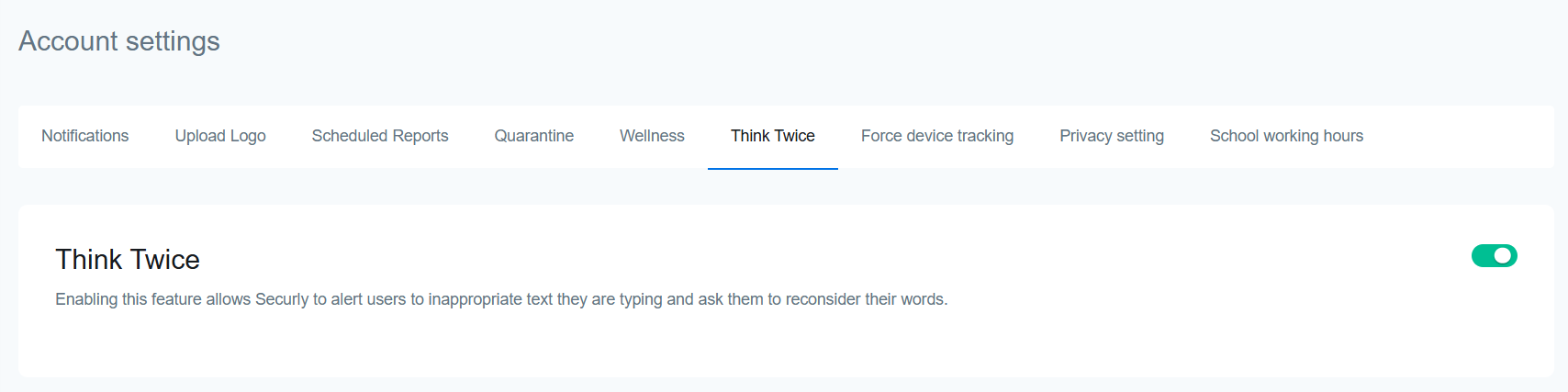
Think Twice is available only for Securly Extension users.
Think Twice allows you to pre-emptively discourage cyberbullying in comments and posts on many commonly visited websites, including many social media platforms. Whenever a student types a message that could be hurtful, they will be shown a message asking them to "think twice", and reconsider their words. This prompt does not stop any messages or comments from being sent or posted. It's up to the student to take action and reconsider their words, or not send the message.
This is what a message from Think Twice looks like from the student's perspective when they type something potentially hurtful.
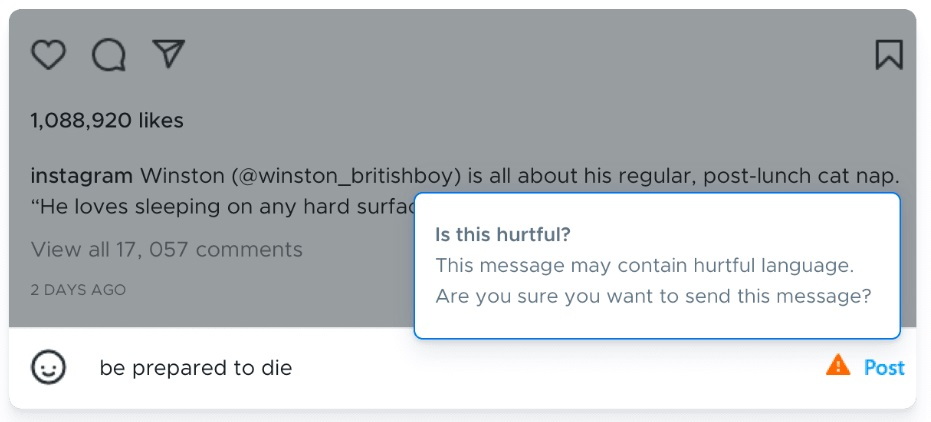
Think Twice feature works on commonly visited sites and specific tested sites include:
- Comments and Posts: youtube.com, tumblr.com, reddit.com, quora.com, instagram.com, facebook.com
- Mail and Messages: mail.google.com, chat.google.com, discord.com
- Tweets and Pins: twitter.com, pinterest.com
The functionality is dependent on the input type—Text, textarea, div with the role of textbox—rather than specific websites. Thus, any site incorporating these input types will support Think Twice alerts. It can also evaluate edited content and provide prompt suggestions, particularly in Instagram, Discord, and Pinterest (pinterest.com, pinterest.co.uk, and in.pinterest.com).