Admins have the ability to copy inactive location availability limits to the upcoming school year, eliminating the need to re-create those same limits each year.
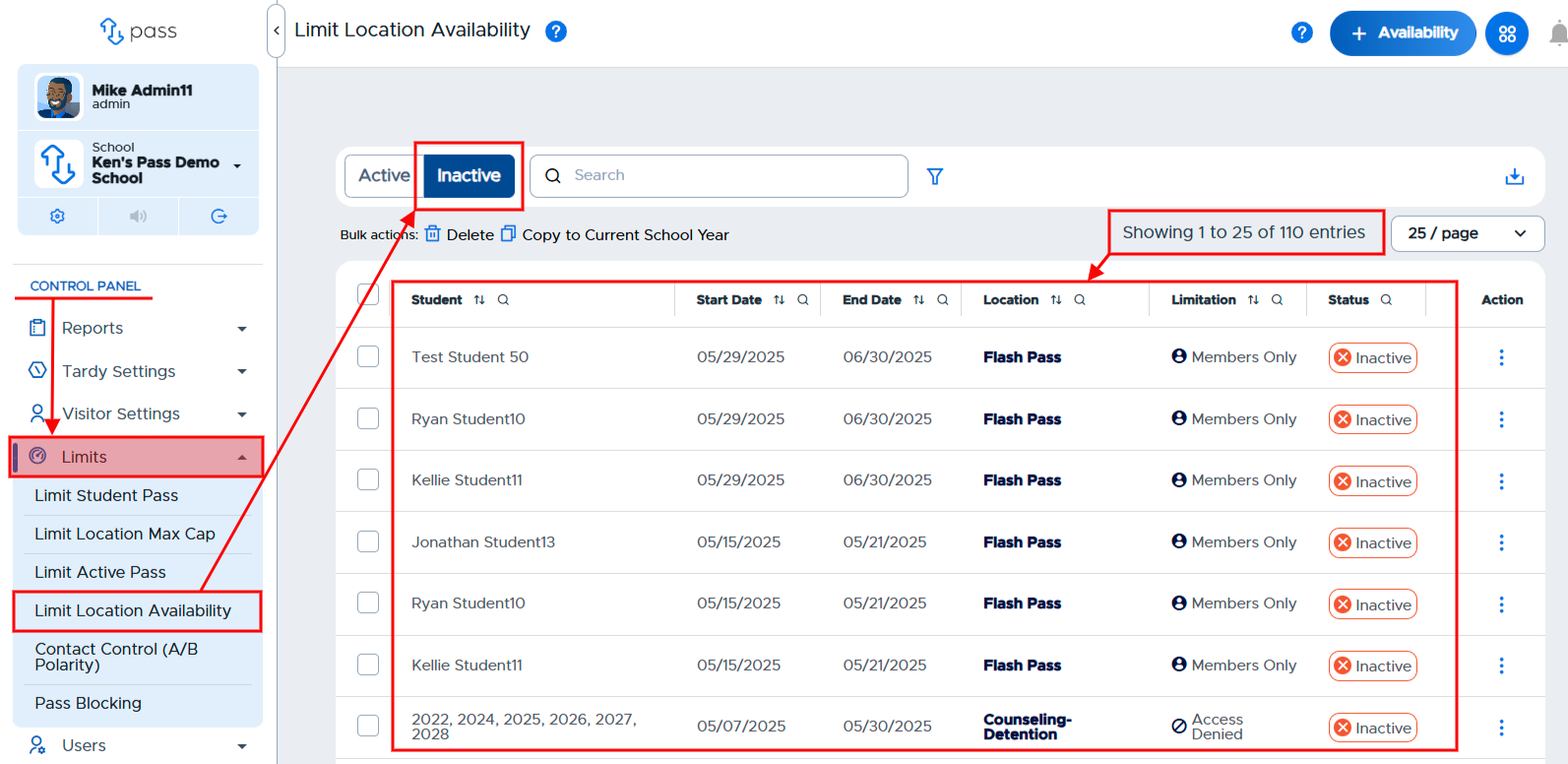
To copy specific location availability limits, under the Control Panel, click Limits → Limit Location Availability. On the Limit Location Availability page, click Inactive. All of the previous limits will appear.
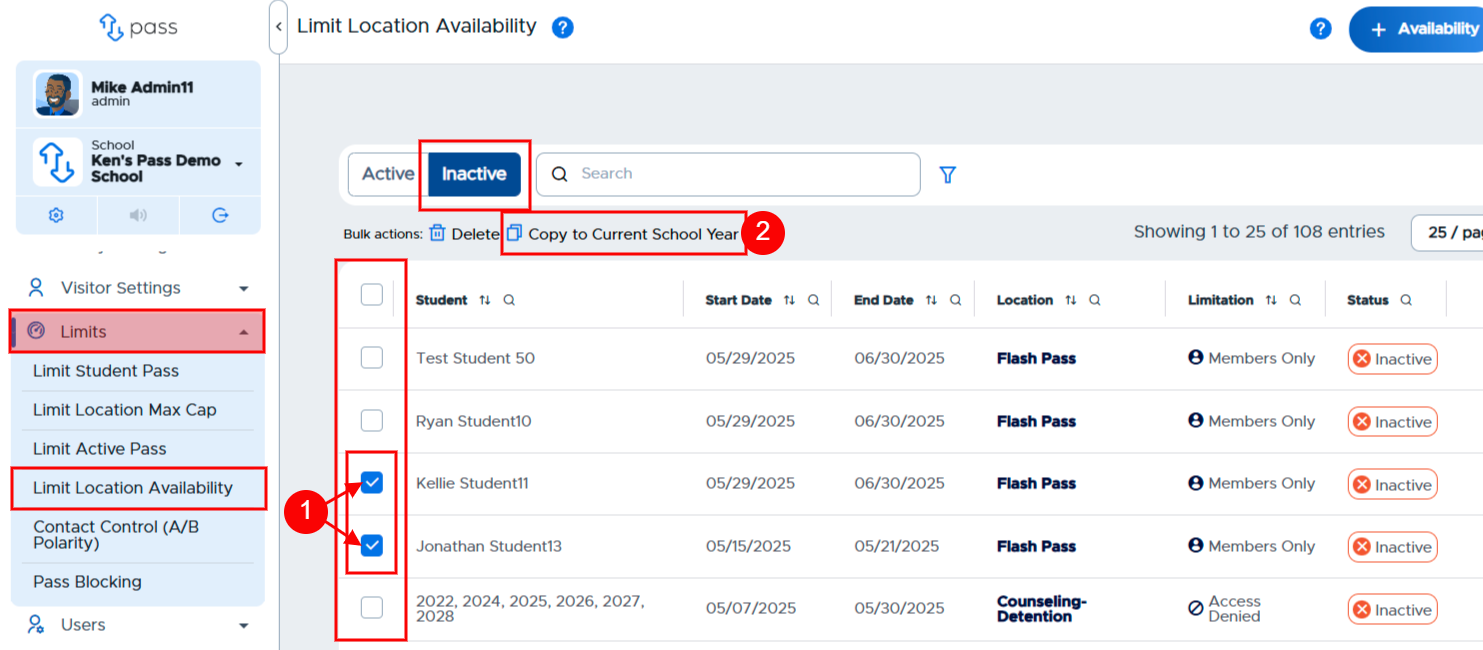
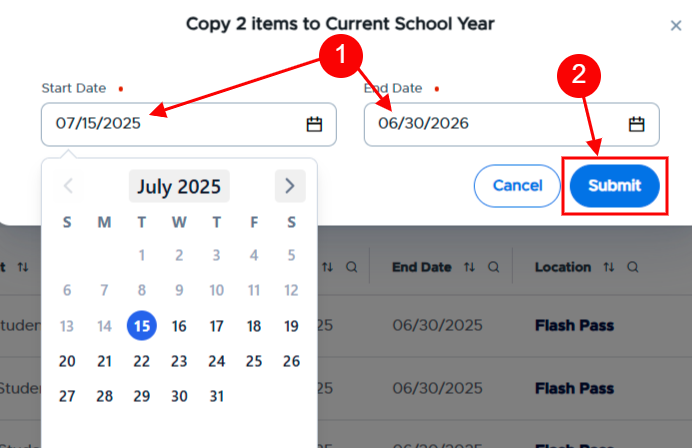
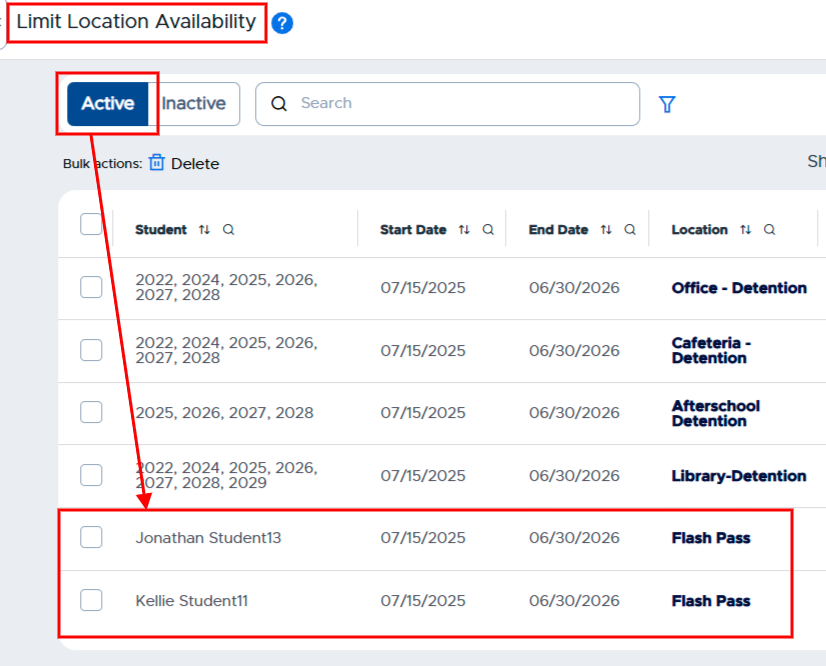
Click the box(es) to the left of the entries that need to be copied to the current school year. Then click the Bulk actions button: Copy to Current School Year. On the popup that appears, adjust the dates of these limits as needed and then click Submit. The selected student pass limits will become active limits for the current school year.