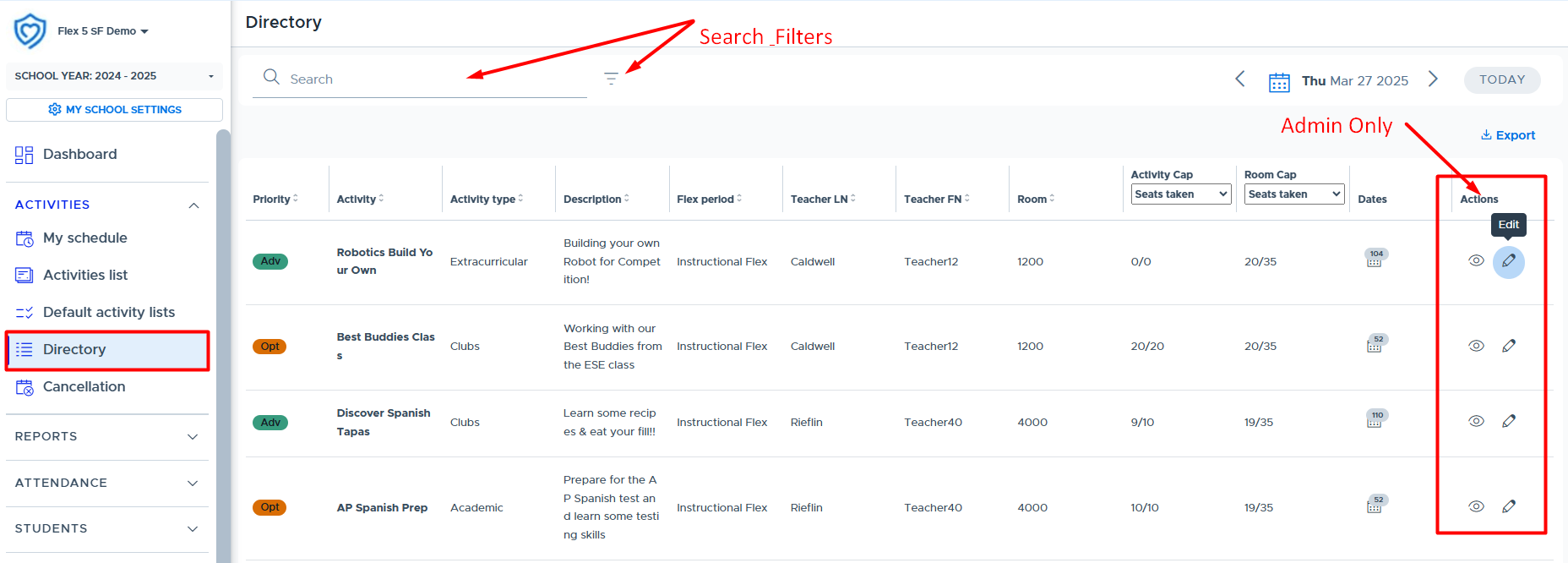
The Activities Directory shows what activities are scheduled for today (or the specified date), the priority level, the teacher who scheduled it, the room, and activity cap/room cap details. This screen is the primary resource for teachers to see what other teachers or adults are offering during Flex. There are “search & filter” options that provide additional viewing capabilities. The screen displays the number of times the activity is scheduled with access to a list of all scheduled dates and registration numbers.
- The “Actions” column and Preview/Edit functions are only available to Flex Admins. (Teachers and Staff role users do not see this column.) Admins can use the “Edit” button to make changes to the teachers activity without having to simulate the user.
- The Activity Directory is available to all users, including students. (The students' screen looks slightly different and contains less details.)
- Here is a video that provides an overview: Activities Directory (*Not yet updated to show that Admins can preview/edit all activities on this screen.)
The “Dates” column provides access to the following date and registration information for the activity. This window shows a list of each date the activity was or is scheduled for during the Flex period, along with the number of registered students and the activity cap set for the activity.