This allows a student’s ID number to serve as the student’s Kiosk Passcode. Click on the “Set Kiosk Passcode to be Student Number” under the Kiosk Module.
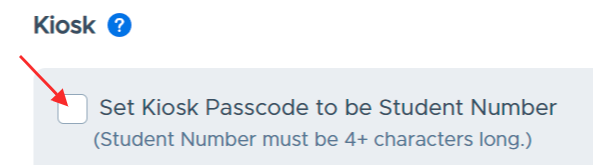
- The Student Number must be 4+ characters long.
- When you choose “Set Kiosk Passcode to be Student Number”, you will overwrite any passcodes that were already created for their students, and you will no longer have the option to upload kiosk passcodes via file upload.
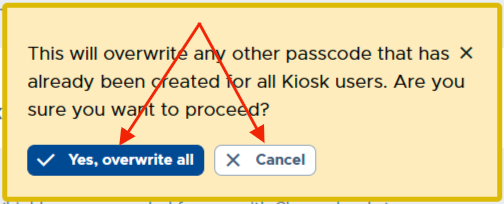
- Any new student added to your system will automatically have their student number as their Kiosk passcode.
- If the “Set Kiosk Passcode to be Student Number” box is checked, the system will automatically also check the “Hide Student Kiosk Passcode Field” box. If admins try to uncheck the “Hide Student Kiosk Passcode Field” box, they will not be able to, unless they first uncheck “Set Kiosk passcode to be student number.