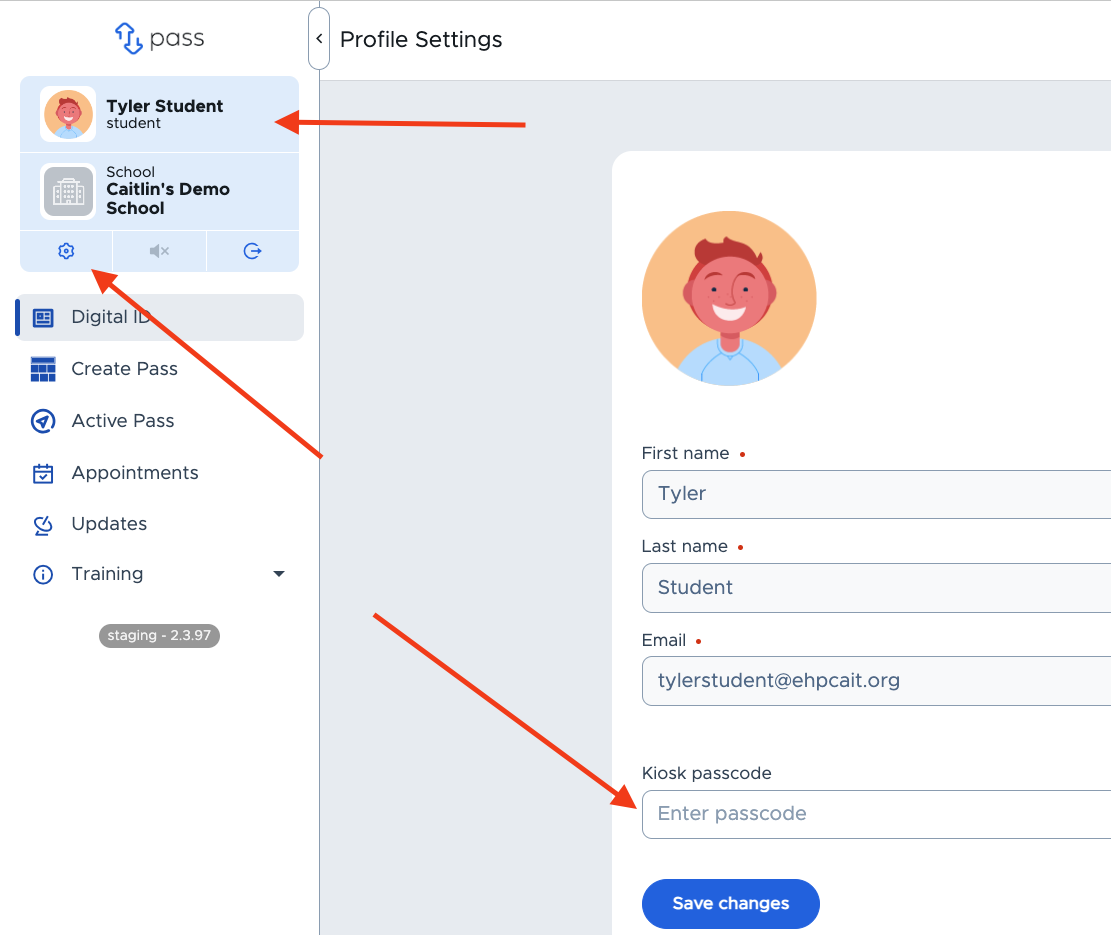
This allows students to designate their Kiosk passcode by entering their own Kiosk passcode in their Pass profile, shown below. The student is solely responsible for managing this passcode, although an Admin can reset the passcode. This will be the setting unless a checkmark is entered in the “Block Students from Setting and Changing Their Own Passcodes” on the Modules → Kiosk setting screen.
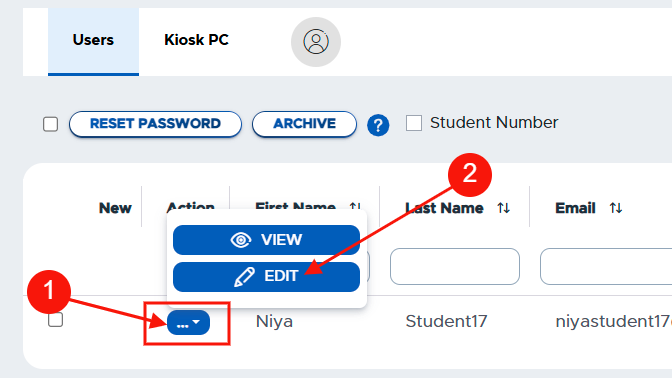
To reset a student’s Kiosk passcode, go to Users → Main Users → search for the student → click Edit.
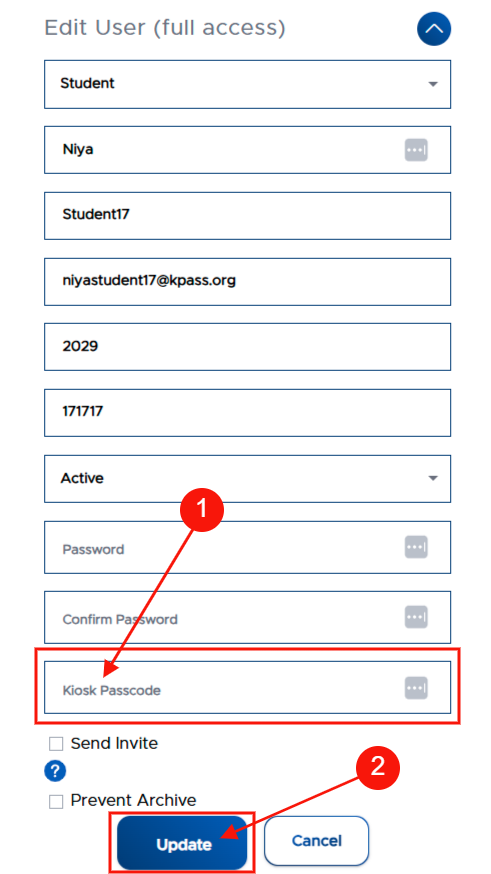
Enter the new passcode in the “Kiosk Passcode” field → click Update.