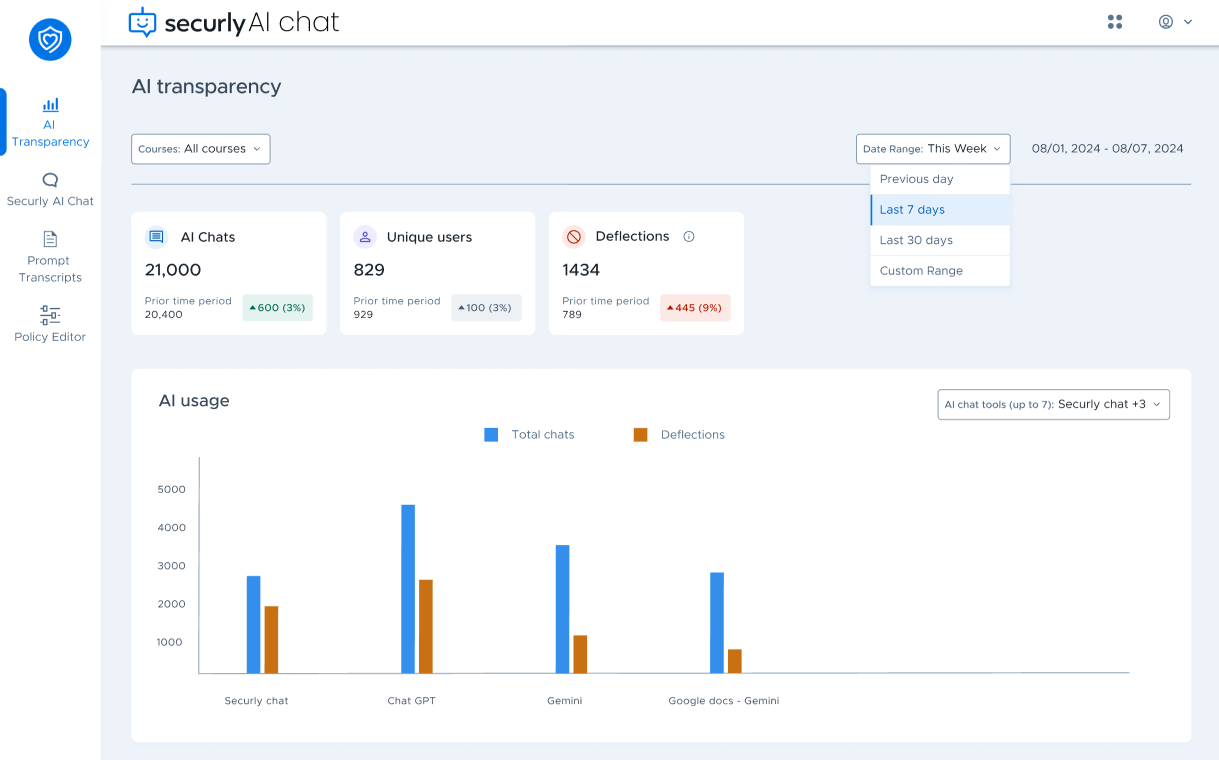
The AI Chat Transparency dashboard helps schools monitor student interactions with AI chat platforms. It provides detailed statistics about chat activity, user behavior, and content deflections.
- Access and visibility
- Key metrics overview
- AI usage
- Top courses with deflections
- Top deflected users
- AI usage by time of the day
Access and visibility
The dashboard is visible to admins. If you'd like to grant teachers access, please reach out to our Support team.
For admins, the dashboard displays data for all classes in the school district, while for teachers, it shows data only for the classes they are teaching.
Key metrics overview
.png)
You have three widgets that offer a quick overview of student engagement with AI chat platforms:
- AI Chats: Displays the total number of chat instances within the selected time period.
- Unique Users: Shows the total number of distinct users who interacted with the AI chat platforms during the selected time period.
- Deflections: Indicates the number of events where a user was diverted or prevented from exploring a topic further due to filtering policies in place, such as blocked searches related to bullying, violence, or other restricted content.
Each widget also shows data for the prior time period as per the selected date range (e.g., last week vs the week before, last 30 days vs the previous 30 days).
At the top left, you have the Courses filter which filters dashboard data as per the selected courses. For example, if we select the History course, the AI Chats widget would reflect the number of chats interactions users have had discussing/querying about history-related topics.
.PNG)
The filter allows you to select from all courses defined by the school in their SIS, and the list will only be populated if Securly Sync is connected to their SIS.
Securly uses information about the classes students are enrolled in to estimate which course their activity in AI chat platforms relates to; however, the results may not always be perfectly accurate, and some chat miscategorization can occur.
AI usage
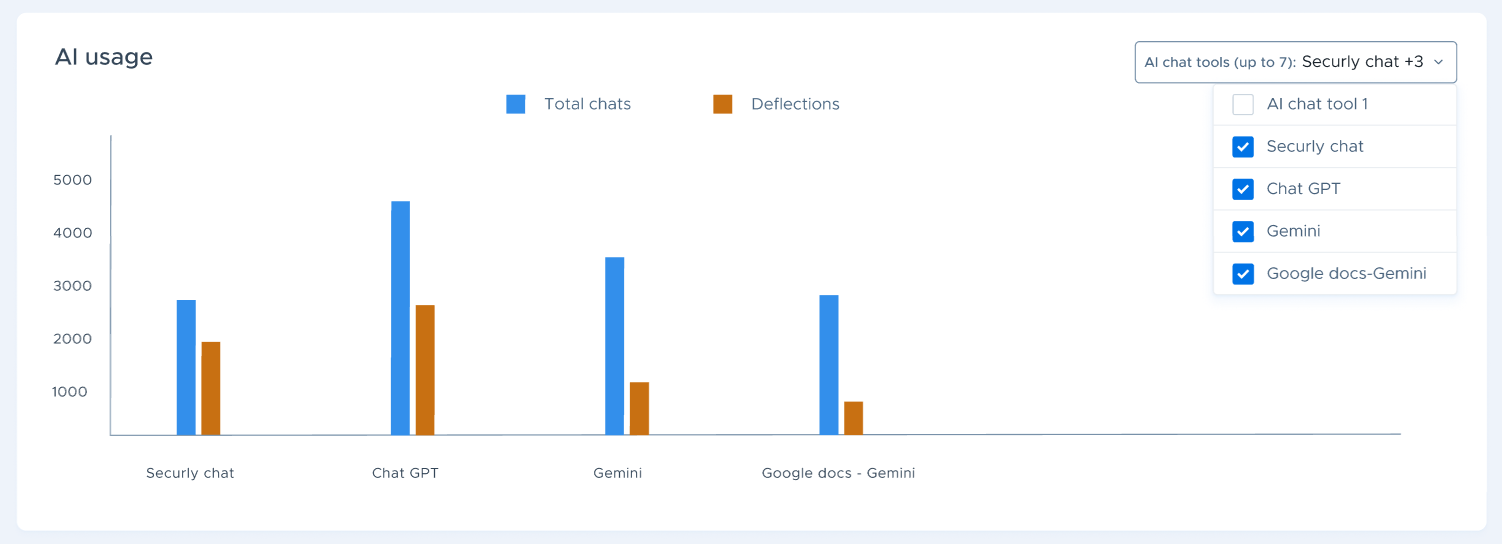
The AI usage graph shows chats and deflections for different AI platforms. You can use the dropdown selector in the top-right corner to choose which platforms to display, with the graph supporting data comparison for up to seven platforms at a time. The graph will also show only those platforms with recorded student activity. Currently, you can select from the following AI platforms:
- Securly AI Chat
- ChatGPT
- Gemini
- Google Docs (Gemini)
- Microsoft Copilot
- MagicSchool
- School AI
- Notebook LM
- Brisk Teaching
- Peardeck
Coverage of additional platforms is planned for future updates.
Top courses with deflections
.PNG)
This section compares the number of chats versus deflections by course. Clicking View all at the bottom right shows a complete list of the top courses.
Top deflected users
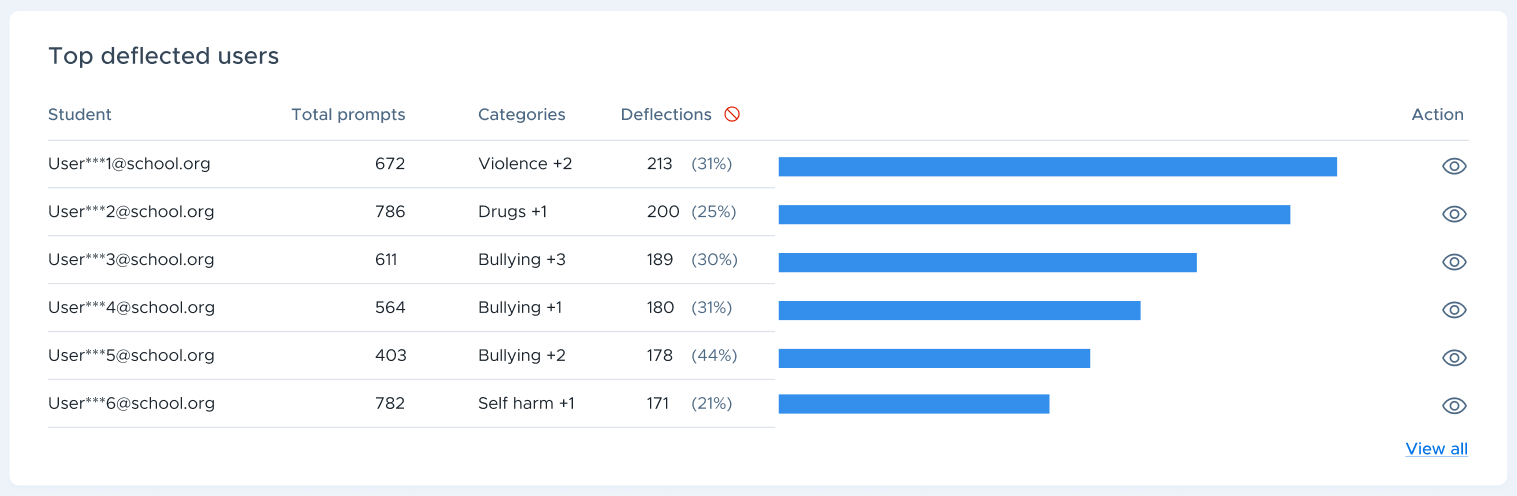
This section shows the top students who experienced the most deflections. It includes the total prompts, categories of content which caused the deflection (e.g., violence, drugs, bullying), and total deflections.
The student email IDs are hidden by default. You can click the eye icon on the far right to reveal them.
Like the previous section, you can click the View all link to view a complete list of top users.
AI usage by time of the day
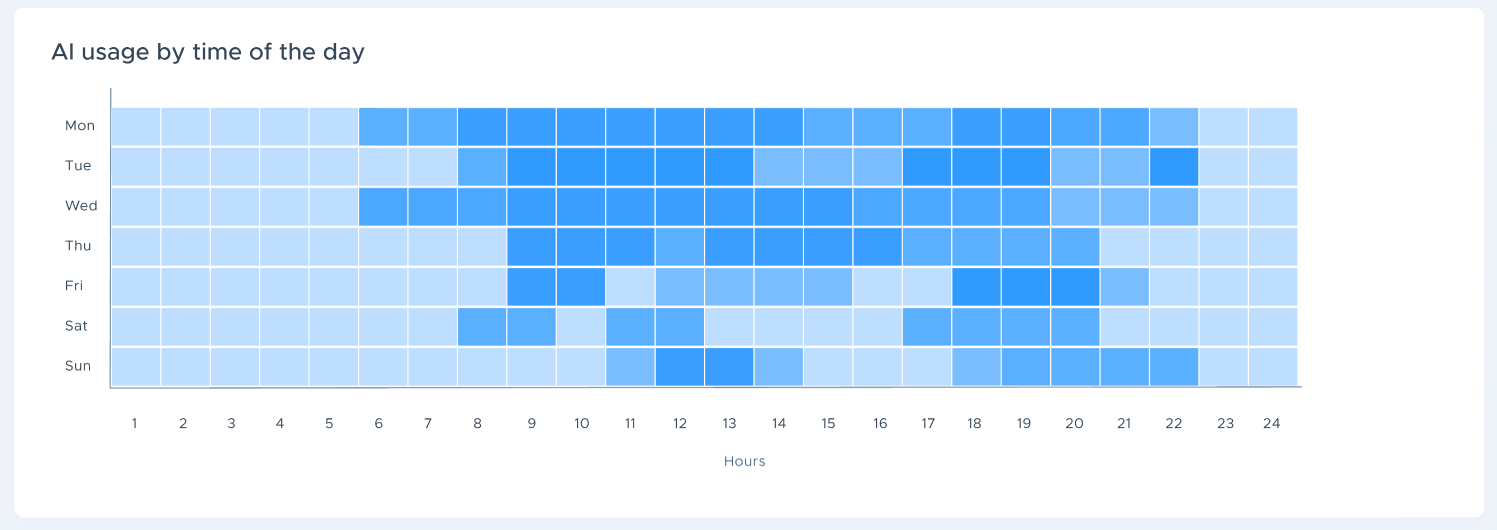
This heatmap shows AI usage by day and time and day, letting you identify peak usage hours, when deflections occur most frequently, and the opportunities to adjust filtering policies based on student behavior.